Elgato Stream Deck + Review
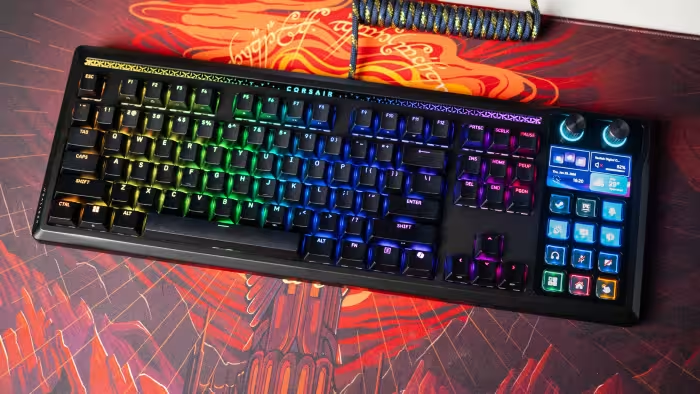
Elgato Stream Deck+
A versatile desktop controller featuring LCD keys, touch-sensitive strips, and rotary dials for streamers and power users.
How This Score Is Calculated
- Sources analysed: 7 reviews
- Explicit scores: 0 sources (sentiment-weighted)
- Sentiment-only: 7 sources (weighted 1.0×)
- Split: 5 Positive · 2 Mixed · 0 Negative
- Raw weighted average: 7.7
- Formula: Σ(score × weight) ÷ Σ(weight)
- Review period: 2022–2024
Algorithmically calculated from source data. No manual adjustments.
- Most reviewed featureDials (7/7)
- Most praisedBuild quality & versatility
- Most criticisedLimited dial-compatible plugins
- Reviewer consensus levelModerate
The Elgato Stream Deck+ is a sophisticated control interface that successfully blends traditional tactile buttons with modern rotary dials and a touch-sensitive strip. While it earns praise for its premium build and ability to streamline complex workflows, some reviewers find the dial integration limited by a lack of third-party plugins. It remains a top-tier choice for creators who want to balance hardware mixing with macro-based automation.
🔧 Key Specifications
- Controls: 8 LCD keys, 4 rotary dials, 1 touch strip
- Software: Elgato Stream Deck App, Wave Link
- Connectivity: USB-A cable (included)
- Build: Desktop angled orientation
💲 Price Range
₹11,500 – ₹20,700
Prices sourced from reviews. Check current retailer pricing.
📊 What Reviewers Say — Feature by Feature
4 features evaluated across 7 sources.
👍 Key Strengths
- Tactile, responsive rotary dials
- Excellent build quality
- Best-in-class automation software
- Versatile touch-strip control
👎 Key Weaknesses
- Limited dial-compatible plugin ecosystem
- Fewer physical buttons than MK.2
- Base lacks sufficient weight
- Steep learning curve for setup
💰 Value for Money Analysis
Reviewers generally view this as a premium tool. While it is more expensive than the standard MK.2, its utility as an audio mixer and macro controller justifies the cost for power users.
5 of 7 sources commented on price or value.
⚡ Where Reviewers Disagreed
The following areas saw meaningful disagreement across sources.
- Value Proposition: 3 sources praised the price-to-feature ratio, while 2 sources felt it was expensive unless you specifically require the dial functionality. Disagreement hinges on whether the user needs the dials; those who do find it a bargain, while others prefer the button-dense MK.2.
🎯 Who This Product Is For
Reviewer recommendations for different target audiences and use cases.
🛠️ Best Use Cases
- Audio MixingUsing the rotary dials for live volume adjustment is a standout feature that replaces dedicated hardware mixers.Great
- Macro AutomationExcellent for chaining complex actions across multiple apps with a single key press.Great
- System ControlGreat for adjusting lighting, system volume, and screen brightness on the fly.Good
🔀 Alternatives Mentioned by Reviewers
- Elgato Stream Deck MK.2 — The standard 15-key version. Recommended if you prioritize a higher number of physical macro buttons over the Stream Deck+'s rotary dials.
- Elgato Stream Deck Mini — An entry-level option with fewer keys. Suggested for users with very limited desk space who only need basic macro functions.
- Elgato Stream Deck XL — The larger footprint model. Recommended for users who need the maximum possible number of programmable LCD keys for highly complex workflows.
- Loupedeck Live — A direct competitor that includes both knobs and buttons. Reviewers note it offers a flatter, more ergonomic orientation but is often more expensive than the Stream Deck+.
Alternatives sourced exclusively from reviewer mentions.
🛒 Buyer's Guide
✅ Buy This If…
- You need tactile volume control for streaming or audio production.
- You are already deep in the Elgato ecosystem and use Wave Link.
- You want to consolidate multiple control devices into one desk-friendly unit.
❌ Skip This If…
- You prioritize a high number of physical buttons over rotary dials.
- You are a casual user who is intimidated by complex software setup.
- You have a very tight budget and don't need the specialized dial functionality.
⚠️ Things to Check Before Buying
- Ensure your desk space accommodates the fixed, angled orientation of the device.
- Check if your primary software has existing plugins for the rotary dials; support is still growing.
- Factor in the time required to learn and configure the software for your specific workflow.
📈 Sentiment Trends Over Time
Reviews span 2022–2024. The following changes were detected:
- Plugin Ecosystem — While initial reviews were optimistic about growth, the consensus remains that dial-specific plugin support is slower than expected.
The Elgato Stream Deck+ is a compelling, high-quality tool that excels at bridging the gap between hardware audio control and macro-based software automation. While the dial-specific software ecosystem is still maturing, the hardware itself is best-in-class for streamers and productivity power users. If you need a versatile, all-in-one control surface, this is an excellent investment. However, if your workflow relies heavily on raw button count, consider the Stream Deck MK.2 instead.
Top Alternative: Elgato Stream Deck MK.2 — Choose this if you prioritize more macro buttons over the addition of rotary dials.
PLG_CONTENT_IMAGEGALLERY_ERROR_NO_IMAGES