Notion Review
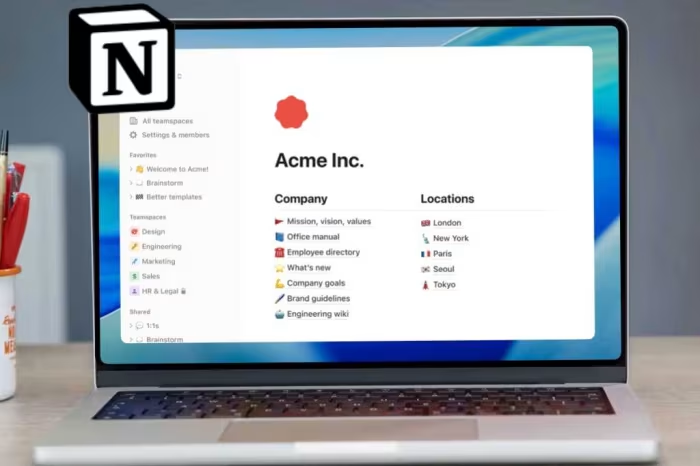
Notion
Notion is a cloud-based, all-in-one productivity platform designed for documentation, database management, and collaborative workspace organization.
How This Score Is Calculated
- Sources analysed: 45 reviews
- Explicit scores: 22 sources (weighted 1.5×)
- Sentiment-only: 23 sources (weighted 1.0×)
- Split: 35 Positive · 7 Mixed · 3 Negative
- Raw weighted average: 7.8
- Formula: Σ(score × weight) ÷ Σ(weight)
- Review period: 2024-11-07 to 2026-09-16
- Value sources: 18 of 45 mentioned price or value
Algorithmically calculated from source data. No manual adjustments.
- Most reviewed featureFlexibility (41/45)
- Most praisedDatabase functionality
- Most criticisedOffline functionality
- Reviewer consensus levelHigh
- Value for moneyGood Value (7.4/10)
Notion occupies a unique space in the productivity landscape as a "Swiss Army knife" of digital workspaces. Unlike traditional project management tools that enforce rigid structures, Notion offers a blank-canvas approach that allows users to build custom workflows, wikis, and documentation hubs from the ground up.
In the current market, it stands as the industry standard for knowledge management, though it faces increasing pressure from specialized "Work OS" platforms and AI-first productivity tools. Its popularity stems from its generous free tier and massive template ecosystem, though its lack of native process-focused features often leaves power users seeking dedicated alternatives for heavy-duty project execution.
🔧 Key Specifications
Specifications sourced from reviewer mentions. Verify with manufacturer for complete details.
- Platform: Cloud-based (Web, Desktop, Mobile)
- Core Features: Block-based editor, relational databases, AI integration
- Views: Kanban, List, Calendar, Gallery, Timeline
- Offline: Limited/Restricted support
- API: Available for automation and integration
- OS: Windows, macOS, iOS, Android, Web
💲 Price Range
Free to ~₹1,675/user/month
Prices sourced from reviews. Check current retailer pricing.
📊 What Reviewers Say — Feature by Feature
All features evaluated across 45 sources.
👍 Key Strengths
- Flexible block-based design
- Powerful relational databases
- Generous free plan
- Collaborative documentation
- Template ecosystem
👎 Key Weaknesses
- Ineffective offline mode
- Steep learning curve
- Performance in large databases
- AI features behind paywall
- Limited native automation
💰 Value for Money Analysis
Notion is widely regarded as excellent value for individuals and small teams due to its robust free tier. However, reviewers note that costs scale rapidly for enterprise users requiring advanced AI agents or team-level features.
18 of 45 sources commented on price or value.
⚡ Where Reviewers Disagreed
The following areas saw meaningful disagreement across sources.
- AI Utility: 10 sources praised AI integration as a major efficiency booster, while 5 sources called it unreliable or overpriced. The split depends on whether the reviewer focuses on writing/summarization (positive) or complex multi-step automation (negative). No consistent explanation for the split was evident across sources.
🔎 Reading Between the Reviews
A clear pattern emerges where Notion is praised by creative and design-oriented teams for its flexibility, while being critiqued by engineering and operations-focused reviewers for its lack of rigid, process-driven project management tools. This suggests that the "best" tool depends entirely on whether a user needs a blank canvas for knowledge or a pre-built system for task tracking.
🎯 Who This Product Is For
Reviewer recommendations for different target audiences and use cases.
🔀 Alternatives Mentioned by Reviewers
- ClickUp — Often cited as a superior project management alternative for teams needing built-in time tracking, milestones, and advanced task dependencies.
- Airtable — Recommended for users who prioritize relational database functionality and app-building capabilities over document-centric wikis.
- Confluence — Regarded as the standard for teams already deep in the Atlassian ecosystem, offering stronger enterprise-grade structure than Notion.
- Taskade — Frequently mentioned as a more affordable, feature-flexible alternative that bundles AI more accessibly for team use.
- Motion — Recommended for those who specifically need AI-driven automated scheduling and calendar integration rather than manual document organization.
Alternatives sourced exclusively from reviewer mentions.
✅ Buy This If…
- You need a central hub for notes, tasks, and documentation.
- You are a student looking for a free, customizable organizational tool.
- You value aesthetic, flexible workspaces over rigid, pre-built management systems.
❌ Skip This If…
- You require robust offline functionality for remote work.
- You need deep, process-driven project management with automated time tracking.
- You are an enterprise team needing high-performance handling of massive datasets.
⚠️ Things to Check Before Buying
- Verify if your team's workflow requires specific integrations not supported by Notion.
- Assess whether your data volume exceeds 5,000 records, as performance may degrade.
- Check if AI features are essential, as these are locked behind higher-tier subscription plans.
Notion remains the premier choice for users who want to build a highly personalized, all-in-one productivity hub. Its block-based design and relational databases offer unparalleled flexibility for knowledge management, making it an excellent tool for students and small teams. However, it is not a direct replacement for dedicated Work OS platforms; users needing deep project management, offline access, or massive database scaling should look elsewhere. Choose Notion for its versatility and design, but be prepared for a steep learning curve.
Top Alternative: ClickUp — Choose this instead if you require native project management features like time tracking and complex reporting.
PLG_CONTENT_IMAGEGALLERY_ERROR_NO_IMAGES