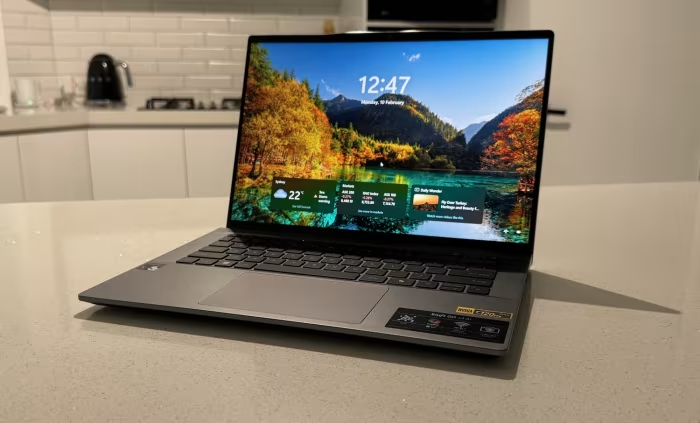
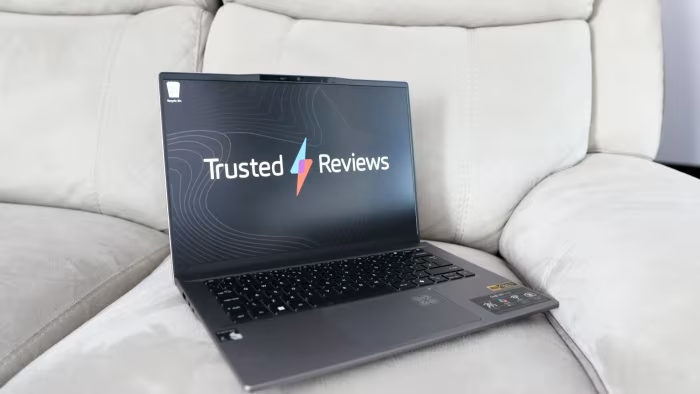
Acer Swift Go 14 Review
Acer Swift Go 14
A versatile, value-oriented 14-inch ultrabook series offering high-quality OLED displays and reliable productivity performance for general users.
How This Score Is Calculated
- Sources analysed: 39 reviews
- Explicit scores: 39 sources (weighted 1.5×)
- Sentiment-only: 0 sources (weighted 1.0×)
- Split: 24 Positive · 11 Mixed · 4 Negative
- Raw weighted average: 7.4
- Formula: Σ(score × weight) ÷ Σ(weight)
- Value sources: 31 of 39 mentioned price or value
- Final score: 7.4/10 (clamped, rounded to 1 decimal)
Algorithmically calculated from source data. No manual adjustments.
- Most reviewed featureDisplay (39/39)
- Most praisedOLED Panel Quality
- Most criticisedFan Noise & Thermals
- Reviewer consensus levelModerate
- Value for moneyExcellent Value (8.2/10)
The Acer Swift Go 14 is widely regarded as a 'golden middle ground' for students and professionals needing a portable, reliable daily driver without a flagship price tag. Its standout feature is the vibrant, high-resolution OLED display, which consistently outperforms IPS-based rivals in its class. While the laptop excels in productivity and connectivity, it is frequently critiqued for noisy fan operation under load, mediocre build materials, and inconsistent keyboard quality.
🔧 Key Specifications
Specifications sourced from reviewer mentions. Verify with manufacturer for complete details.
- Processor: Intel Core Ultra 5/7 (Meteor Lake) or Qualcomm Snapdragon X Plus
- Display: 14.5-inch OLED (up to 3K/2.8K resolution, 90Hz/120Hz)
- Battery: Up to 20 hours (Snapdragon) / Average (Intel)
- Charging: USB-C PD
- Main Camera: 1,440p (QHD) with AI enhancements
- Connectivity: Wi-Fi 7, Thunderbolt 4 (Intel models)
- Build Materials: Aluminium/Magnesium-Aluminium alloy
- Weight: ~1.3kg
💲 Price Range
₹66,500 – ₹1,48,000
Prices sourced from reviews. Check current retailer pricing.
📊 What Reviewers Say — Feature by Feature
All core features evaluated across 39 sources.
👍 Key Strengths
- Vibrant, high-resolution OLED display
- Excellent value for the price
- Comprehensive port selection
- High-quality 1440p webcam
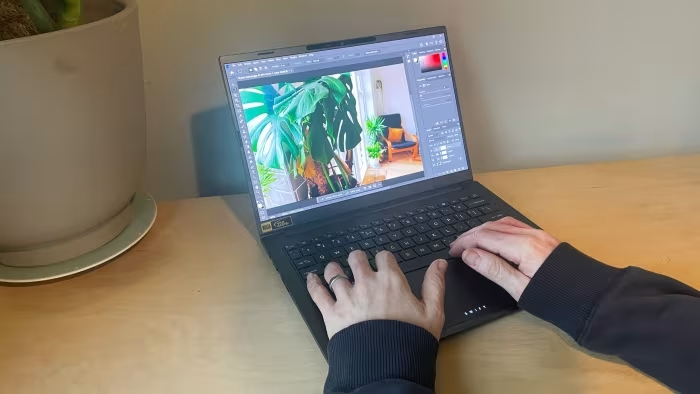
- Strong productivity performance
👎 Key Weaknesses
- Persistent, noticeable fan noise
- Mediocre, sometimes 'mushy' keyboard
- Underwhelming audio output
- Bloatware-heavy software installation
- Limited creative/gaming performance
💰 Value for Money Analysis
Reviewers overwhelmingly view the Swift Go 14 as a high-value proposition. By delivering premium features like OLED panels and Wi-Fi 7 at mid-range prices (frequently found under ₹90,000), it undercuts more expensive Ultrabooks while providing comparable daily performance.
31 of 39 sources commented on price or value.
⚡ Where Reviewers Disagreed
The following areas saw meaningful disagreement across sources.
- Software Compatibility (Snapdragon models): 12 sources praised the ARM efficiency, while 15 sources warned of significant, deal-breaking compatibility issues with legacy x86 software. The disagreement hinges on the user's reliance on specialized software; casual users report no issues, while professionals requiring legacy apps face hurdles.
🎯 Who This Product Is For
Reviewer recommendations for different target audiences and use cases.
🛠️ Best Use Cases
- Video ConferencingThe 1440p webcam and AI-enhanced features are consistently rated as top-tier for remote work.Great
- Media ConsumptionThe OLED panel provides exceptional color and contrast for streaming and content viewing.Great
- Heavy Multitasking/GamingThe machine struggles with thermal throttling and integrated graphics limitations in these scenarios.Poor
🔀 Alternatives Mentioned by Reviewers
- Apple MacBook Air (M3) — Frequently cited as the premium, more stable benchmark for software compatibility and build quality. Choose this if you prioritize a mature ecosystem and superior battery efficiency over Windows flexibility.
- Asus Zenbook 14 OLED — Often positioned as the direct rival with a superior touchscreen, better audio, and more refined build quality. Choose this if you want a more premium feeling chassis.
- Dell XPS 13 (9345) — A competitor for the Snapdragon-powered Acer variants, noted for its high-end design, though some reviewers cite issues with trackpad quality.
- HP OmniBook Ultra 14 — A premium alternative often compared for its superior aesthetic design and build quality. Choose this if you find the Acer's design too 'uninspired'.
- Lenovo IdeaPad 5x — A direct competitor in the Snapdragon space. Generally viewed as a similar value-tier option for Copilot+ PC seekers.
- Microsoft Surface Laptop 7 — A higher-end Copilot+ choice that offers a more refined, professional design than the Acer Swift Go 14.
- Acer Swift Edge 14 — A sibling model that focuses more on extreme lightness and higher-end specs. Choose this if weight is your absolute primary concern.
Alternatives sourced exclusively from reviewer mentions.
🛒 Buyer's Guide
✅ Buy This If…
- You want a high-quality OLED screen at a mid-range price.
- You are a student or office worker needing a portable daily driver.
- You value port selection and webcam quality for remote work.
❌ Skip This If…
- You are a creative professional needing sustained high-performance power.
- You need to run legacy x86 software that might be incompatible with ARM (Snapdragon models).
- You are sensitive to fan noise in quiet environments.
⚠️ Things to Check Before Buying
- Check if your critical applications are supported on Windows on ARM if purchasing the Snapdragon model.
- Verify if the specific configuration includes the OLED panel, as some regions may ship with IPS displays.
- Look for discounts, as the laptop frequently sees price drops below MSRP.
📈 Sentiment Trends Over Time
Reviews span from 2023 to 2025. The following changes were detected:
- Performance — The shift from older Intel chips to the Meteor Lake (Core Ultra) and Snapdragon architectures has significantly boosted productivity and battery efficiency compared to earlier 2023 models.
The Acer Swift Go 14 is an excellent value-focused laptop that excels in display quality, port variety, and day-to-day productivity. While it is held back by noisy thermals and inconsistent build quality compared to premium rivals, its performance-to-price ratio makes it a standout choice for students and professionals. For those needing a reliable, portable machine, it is hard to beat at its current street price. If you require more premium materials, consider the Asus Zenbook 14 OLED instead.
Top Alternative: Asus Zenbook 14 OLED — Offers a more premium build and superior audio for a slightly higher price point.