Apple iPad Air M3 Review
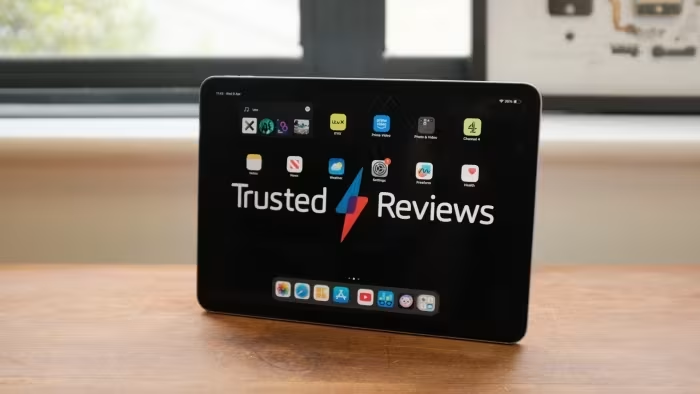
Apple iPad Air M3
A high-performance, premium mid-range tablet featuring the M3 chipset, available in two sizes with robust accessory support.
How This Score Is Calculated
- Sources analysed: 8 reviews
- Sentiment-only: 8 sources (weighted 1.0×)
- Split: 5 Positive · 3 Mixed · 0 Negative
- Raw weighted average: 7.2
- Formula: Σ(score × weight) ÷ Σ(weight)
- Final score: 7.2/10 (clamped, rounded to 1 decimal)
- Most reviewed featurePerformance (8/8)
- Most praisedM3 Chipset
- Most criticised60Hz Display
- Reviewer consensus levelModerate
The Apple iPad Air M3 is an exceptionally powerful tablet that delivers desktop-class performance in a familiar, premium form factor. While it excels as a productivity tool and creative device, it occupies a difficult "middle-ground" position between the base iPad and the more feature-rich Pro. Most reviewers agree that while it is a fantastic piece of hardware, the lack of a 120Hz display and high accessory costs make it a challenging value proposition for some.
🔧 Key Specifications
- Processor: Apple M3 Chipset
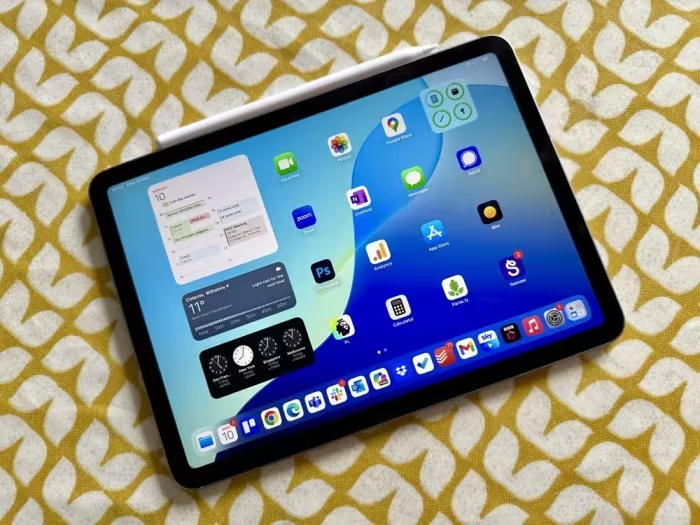
- Display: Liquid Retina LCD (11-inch or 13-inch), 60Hz
- Audio: Four-speaker system
- Battery: Solid battery life
- Connectivity: 5G support, Wi-Fi
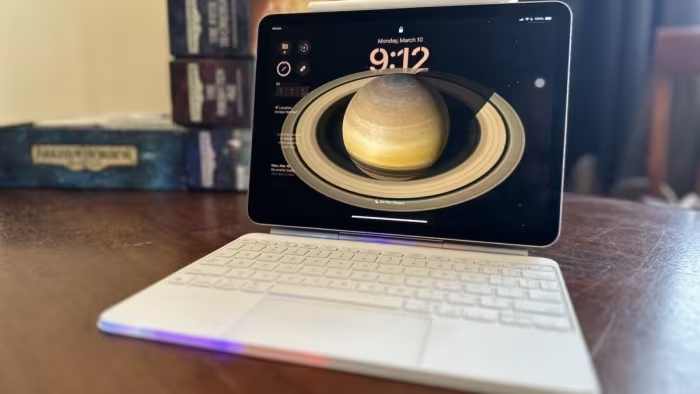
- Accessories: Apple Pencil Pro, New Magic Keyboard
- Build: Aluminum chassis
💲 Price Range
Approx. ₹46,000 to ₹67,000
Prices sourced from reviews. Check current retailer pricing.
📊 What Reviewers Say — Feature by Feature
7 features evaluated across 8 sources.
👍 Key Strengths
- Exceptional M3 performance
- Choice of two sizes
- Sleek aluminum build
- Great accessory ecosystem
- Strong battery life
👎 Key Weaknesses
- Standard 60Hz display
- Expensive storage upgrades
- No Face ID
- Costly accessories
- iPadOS workflow limitations
💰 Value for Money Analysis
While the base price is seen as fair for the performance, reviewers note that once you add the Magic Keyboard and increase storage, the total cost edges dangerously close to a full MacBook, undermining its value proposition.
5 of 8 sources commented on price or value.
⚡ Where Reviewers Disagreed
The following areas saw meaningful disagreement across sources.
- Positioning: Some reviewers see it as a "perfect mid-range" balance, while others label it the "odd man out" that struggles to justify its existence between the base iPad and the Pro.
🎯 Who This Product Is For
Reviewer recommendations for different target audiences and use cases.
🛠️ Best Use Cases
- Laptop Replacement Capable for most users, though limited by 60Hz and iPadOS scaling issues. Good
- Creative Work Excellent performance for apps, supported by the new Apple Pencil Pro. Great
🔀 Alternatives Mentioned by Reviewers
- iPad Pro M4 — The premium alternative; it offers a superior OLED display and thinner design, but comes at a higher price point. Choose this if you prioritize screen quality over cost.
- Basic iPad — The budget-friendly alternative; it lacks the M3 performance but offers a better value proposition for casual users who do not need professional-grade power.
- Android Tablets — Often cited as cheaper alternatives that may offer OLED displays, though they lack the same level of app optimization and ecosystem integration found in the iPad Air.
- MacBook — The direct productivity competitor; reviewers note that once the iPad Air is configured with a keyboard and extra storage, it competes directly with Apple's laptops in price.
🛒 Buyer's Guide
✅ Buy This If…
- You need M3-level power in a portable, thin, and light chassis.
- You are already deep in the Apple ecosystem and want a seamless accessory experience.
- You want a larger 13-inch screen without paying the premium for the iPad Pro.
❌ Skip This If…
- A 120Hz display is a non-negotiable requirement for your workflow.
- You are on a tight budget and don't require the power of the M3 chip.
- You need a true desktop-class file management and multitasking OS.
⚠️ Things to Check Before Buying
- Factor in the total cost of accessories (Magic Keyboard/Pencil) before deciding.
- Consider if a base model iPad or a MacBook Air better suits your specific use case.
📈 Sentiment Trends Over Time
Reviews indicate the M3 update is seen as a "minimal" performance jump compared to the M2 version, leading to a consensus that it is a solid but not revolutionary refresh.
The Apple iPad Air M3 is a powerhouse tablet that delivers exactly what it promises: high-end performance in a sleek, versatile package. While it is hampered by an aging 60Hz display and a confusing position in Apple's lineup, it remains an excellent choice for those who need speed and ecosystem integration. If you don't need the Pro's OLED screen, the Air is a capable professional tool.