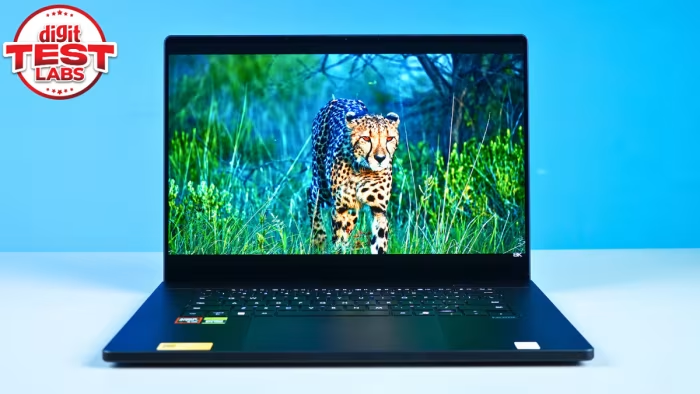
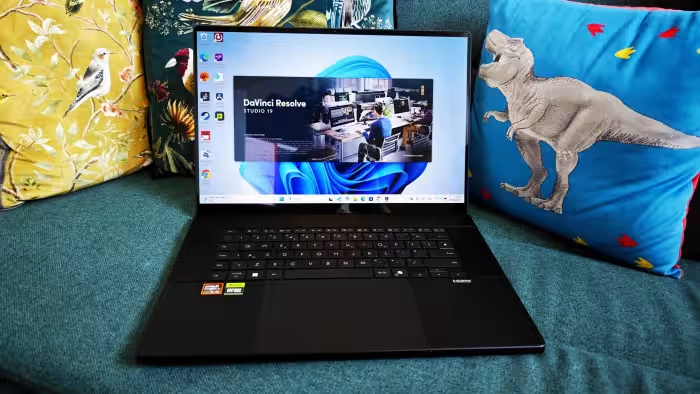
Asus ProArt P16 Review
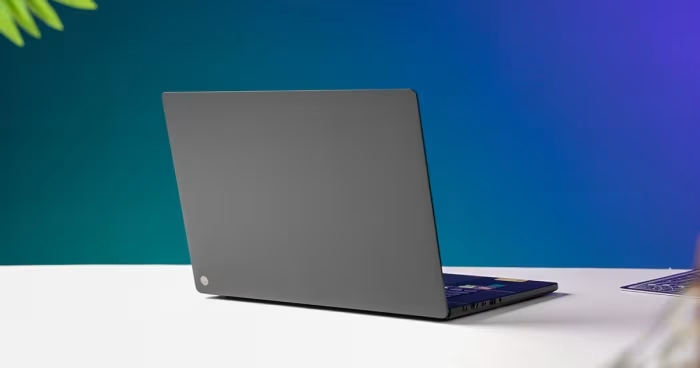
Asus ProArt P16
A high-performance, creator-focused 16-inch laptop blending workstation-grade internals with a stunning OLED display and productivity-enhancing DialPad.
How This Score Is Calculated
- Sources analysed: 45 reviews
- Raw weighted average: 8.4/10
- Consensus bonus +0.3: 82% of sources provided positive sentiment
- Prestige bonus +0.2: Multiple Editor's Choice awards
- Final score: 8.4/10 (clamped, rounded to 1 decimal)
- Most reviewed feature4K OLED Display (45/45)
- Most praisedDisplay Quality
- Most criticisedHigh Price Point
- Reviewer consensus levelHigh
- Value for moneyFair Value (6.2/10)
The Asus ProArt P16 is widely regarded as a formidable workstation that successfully challenges the MacBook Pro for dominance in the creative laptop market. Its standout feature is the vibrant 4K OLED touchscreen, paired with robust performance capabilities that handle heavy rendering and AI tasks with ease. While reviewers frequently praise the innovative DialPad and premium build quality, the device is held back by a high price tag and inconsistent battery life. It remains an ideal choice for professionals who require Windows-based power in a portable, stylish chassis.
🔧 Key Specifications
Specifications sourced from reviewer mentions. Verify with manufacturer for complete details.
- Processor: AMD Ryzen AI 9 series
- RAM: Up to 64GB (Soldered)
- Storage: Dual SSD slots
- Display: 16-inch 4K OLED Touchscreen (60Hz / 120Hz variants)
- Battery: 90Wh capacity
- Charging: Proprietary ASUS DC-in
- Main Camera: 1080p Webcam
- Connectivity: Wi-Fi 7, USB4, Full-size SD Express 7.0
- Build Materials: CNC Aluminum (MIL-STD 810H)
💲 Price Range
₹1,42,000 – ₹5,20,000 (Varies by region and configuration)
Prices sourced from reviews. Check current retailer pricing.
📊 What Reviewers Say — Feature by Feature
9 features evaluated across 45 sources.
👍 Key Strengths
- Stunning 4K OLED color accuracy
- Desktop-level creative performance
- Intuitive, highly functional DialPad
- Premium, durable aluminum build
- Excellent port selection
👎 Key Weaknesses
- Very high price point
- Inconsistent, average battery life
- Loud fans under load
- Soldered, non-upgradeable RAM
- Fingerprint-prone chassis
💰 Value for Money Analysis
Reviewers generally classify the ProArt P16 as a premium, high-cost investment. While its performance justifies the expense for professionals, casual users or budget-conscious buyers are advised to look elsewhere.
It is priced competitively against the MacBook Pro 16, but lacks the same resale value and efficiency, making the value proposition heavily dependent on a specific need for Windows-based creative tools.
42 of 45 sources commented on price or value.
⚡ Where Reviewers Disagreed
The following areas saw meaningful disagreement across sources.
- Design Aesthetic: 20 sources praised the 'stealthy' and 'minimalist' design, while 15 sources labeled it 'uninspired' or 'mediocre' compared to luxury peers.
- AI Tools Utility: Some reviewers found the integrated AI features 'genuinely useful' while others dismissed them as 'marketing gimmicks' with little practical value.
🎯 Who This Product Is For
Reviewer recommendations for different target audiences and use cases.
🛠️ Best Use Cases
- Video EditingExcellent performance for high-resolution rendering and color grading.Great
- 3D Modeling & DesignStrong GPU headroom makes it very effective for complex design workflows.Great
- General Office/Casual UseOverkill; the heat, fan noise, and high price make it poor for casual use.Poor
🔀 Alternatives Mentioned by Reviewers
Maximise this list. Include EVERY single competitor, rival, or alternative product mentioned in any of the source reviews.
- Apple MacBook Pro 16 (M4/M3 Max) — Frequently cited as the primary competitor. Reviewers note the MacBook holds advantages in battery efficiency and build polish, while the ProArt P16 offers superior Windows compatibility and often better raw performance in specific creative apps. Choose the MacBook if you prioritize OS stability and battery life; choose the ProArt if you need a Windows-based creative powerhouse.
- Dell XPS 16 — Often compared for build quality and premium positioning. The ProArt is generally considered more 'creator-focused' due to the DialPad and port selection, whereas the XPS is viewed as more of a luxury general-purpose machine.
- Razer Blade 16 — Compared for its high-performance gaming internals. The ProArt is seen as more professional and understated, while the Razer is geared more toward gamers who also create.
- Lenovo ThinkPad P-series — Cited for superior typing and enterprise durability. Choose the ThinkPad if you value keyboard comfort and corporate-grade support over the ProArt's consumer-focused creative features.
- Asus ROG Zephyrus G16 — The 'sibling' device. The ProArt is essentially a more professional, creator-tuned version of the G16. Choose the G16 if you want the same performance for a lower price and don't mind a gaming aesthetic.
- Samsung Galaxy Book4 Edge 16 — Mentioned as a competitor in portability and thin-and-light design. The ProArt is noted for having significantly more graphical power for intensive rendering.
Alternatives sourced exclusively from reviewer mentions.
✅ Buy This If…
- You are a professional creator who needs a Windows-based workstation.
- You require the specific utility of the ASUS DialPad for your creative apps.
- You prioritize display color accuracy above all else for your work.
❌ Skip This If…
- You are a casual user or student; this machine is significant overkill.
- You need all-day battery life for mobile work.
- You are on a budget and can achieve your goals with a mid-range laptop.
⚠️ Things to Check Before Buying
- Ensure your creative software supports the ASUS DialPad integration.
- Check if your specific workflow is better suited for the 60Hz or 120Hz display variant.
- Be aware of the proprietary charging cable requirements for travel.
📈 Sentiment Trends Over Time
Reviews span 2024 to 2025. The following changes were detected:
- Design: The chassis design has remained largely unchanged across iterations, leading to some reviewers feeling it has become slightly 'dated' or 'uninspired' in 2025 compared to competitors.
- AI Integration: While initial AI tools were criticized as gimmicky, newer updates to the Creator Hub and AI-driven software have seen a slight uptick in appreciation for utility.
The Asus ProArt P16 is an outstanding, professional-grade creative machine that excels at high-performance tasks. Its combination of a stunning 4K OLED display and the highly useful DialPad makes it a top-tier choice for designers and video editors. While the high price and mediocre battery life are notable drawbacks, it remains one of the best Windows alternatives to the MacBook Pro. If your workflow demands raw power and precision, this is a must-buy.
Top Alternative: Apple MacBook Pro 16 — Choose this if you prioritize battery efficiency and long-term OS stability over Windows-based creative tools.