Asus Zenbook A14 UX3407 Review

Asus Zenbook A14 UX3407
A premium, ultra-lightweight Copilot+ PC featuring a Ceraluminum chassis and Snapdragon X-series architecture for mobile productivity.
How This Score Is Calculated
- Sources analysed: 10 reviews
- Explicit scores: 4 sources (weighted 1.5×)
- Sentiment-only: 6 sources (weighted 1.0×)
- Split: 6 Positive · 3 Mixed · 1 Negative
- Raw weighted average: 7.2
- Formula: Σ(score × weight) ÷ Σ(weight)
- Review period: 2025-2026
- Value sources: 5 of 10 mentioned price or value
- Final score: 7.2/10 (clamped, rounded to 1 decimal)
- Most reviewed featurePortability (10/10)
- Most praisedWeight/Build
- Most criticisedGraphics/Gaming Performance
- Reviewer consensus levelModerate
- Value for moneyFair Value (6.2/10)
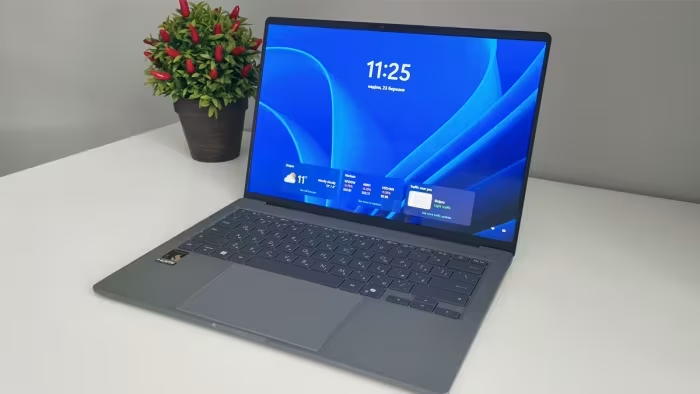
The Asus Zenbook A14 UX3407 is a masterclass in ultra-portable design, boasting an incredibly light, durable Ceraluminum chassis that makes it a top-tier choice for mobile professionals. While its Lumina OLED display and exceptional battery life shine, the device is held back by limited integrated graphics and the inherent software compatibility hurdles of the Windows on ARM platform. It is a highly specialized machine that prioritizes mobility over raw power.
🔧 Key Specifications
- Processor: Snapdragon X Elite / X Plus
- Display: 14-inch Lumina OLED, 60Hz
- Battery: 48Wh - 70Wh (varies by config)
- Weight: 899g - 980g
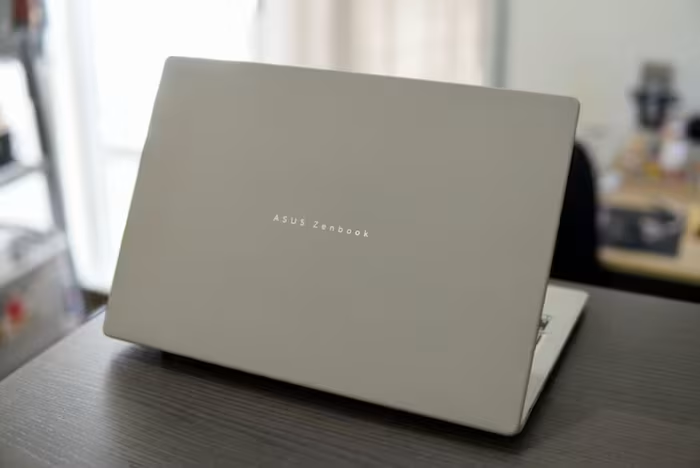
- Build Materials: Ceraluminum
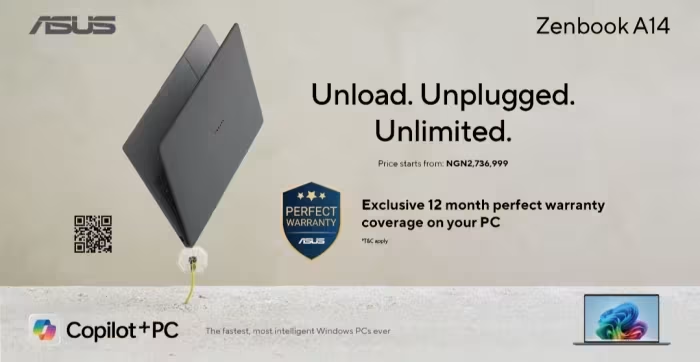
- OS: Windows 11 (Copilot+ PC)
- Connectivity: 5G (varies), Wi-Fi, USB-C
💲 Price Range
₹84,000 - ₹1,70,000
Prices sourced from reviews. Check current retailer pricing.
📊 What Reviewers Say — Feature by Feature
👍 Key Strengths
- Incredibly lightweight and compact design
- Durable Ceraluminum chassis
- Excellent all-day battery life
- Vibrant Lumina OLED display
👎 Key Weaknesses
- Limited GPU and gaming performance
- 60Hz display refresh rate
- Windows on ARM compatibility issues
- Expensive for entry-level configurations
💰 Value for Money Analysis
Reviewers generally find the high-end Snapdragon X Elite configurations difficult to justify given the performance overhead, recommending the cheaper X Plus variants for better value. Price ranges from ₹84,000 to ₹1,70,000 depending on the SKU.
5 of 10 sources commented on price or value.
⚡ Where Reviewers Disagreed
- Performance Positioning: 4 sources praised the Snapdragon X performance, while 3 sources critiqued it as trailing behind Intel-based and other Copilot+ rivals in 3D and multi-threaded tasks.
🎯 Who This Product Is For
🛠️ Best Use Cases
- Productivity & Writing Excellent keyboard and ergonomic design make it great for long-form typing and document management. Great
- Media Consumption The OLED screen provides deep blacks and vibrant colors, though the 60Hz limit is a drawback for some users. Good
- Gaming GPU performance is insufficient for modern titles, and compatibility issues persist on Windows on ARM. Poor
🔀 Alternatives Mentioned by Reviewers
- Apple MacBook Air (M3) — Frequently used as a benchmark for performance and efficiency, with reviewers noting the Zenbook A14 attempts to challenge its dominance in the thin-and-light category.
- HP Omnibook X — A direct competitor in the Copilot+ PC space; reviewers noted it often outperforms the Zenbook A14 in raw processing and 3D tasks.
- Microsoft Surface Pro — Mentioned as a more versatile alternative for those requiring touch input and tablet-like functionality, outperforming the Zenbook in general system tasks.
- Acer Swift 14 AI — Another Copilot+ rival often cited as offering better performance benchmarks than the Zenbook A14 in both processing and graphics.
- Previous Model Zenbook 14 — Recommended by some reviewers as a more affordable, Intel-powered alternative that provides better raw performance if extreme portability is not the primary requirement.
🛒 Buyer's Guide
✅ Buy This If…
- You prioritize weight and portability above all else.
- You need a durable laptop for frequent travel.
- Your workflow is limited to standard productivity tasks.
❌ Skip This If…
- You require a laptop for gaming or heavy 3D creative work.
- You need specific Windows software that may not support ARM architecture.
- You are a power user who requires high refresh rate displays.
⚠️ Things to Check Before Buying
- Check if your critical applications are compatible with Windows on ARM.
- Verify the specific battery capacity (48Wh vs 70Wh) of the configuration you are purchasing.
- Consider waiting for mid-tier X1 Plus variants for better price-to-performance ratios.
📈 Sentiment Trends Over Time
Reviews span from 2025 to 2026. The following shift was detected:
- Windows on ARM Compatibility — Ongoing concerns regarding software compatibility persist across all review waves, indicating a slow adoption curve for this platform.
The Asus Zenbook A14 UX3407 is an impressive feat of engineering that excels for mobile professionals who value weight and durability. While it delivers on its promise of all-day battery life and premium design, the trade-offs in GPU performance and ARM compatibility make it a niche purchase. We recommend looking for the Snapdragon X Plus configurations to maximize value, as the X Elite model often fails to justify its premium price tag. If your workflow involves heavy media creation or gaming, choose a more powerful Intel-based alternative instead.