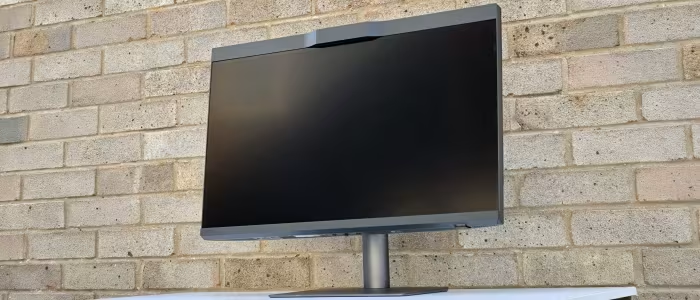
BenQ PD2770U Review
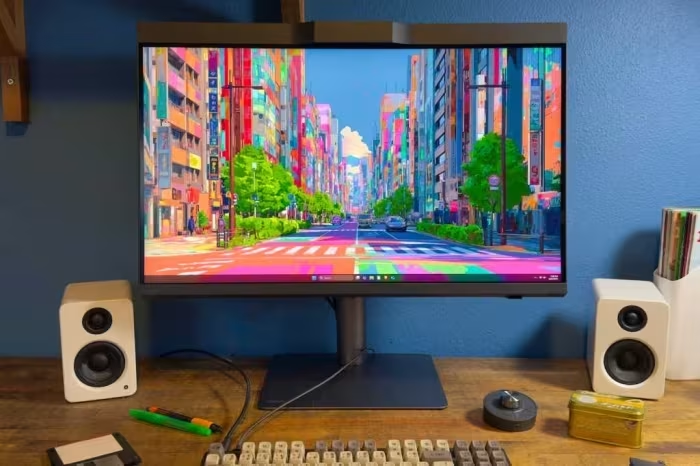
BenQ PD2770U
A professional-grade 27-inch 4K monitor designed for color-critical creative work, featuring integrated hardware self-calibration and studio management tools.
How This Score Is Calculated
- Sources analysed: 6 reviews
- Explicit scores: 0 sources
- Sentiment-only: 6 sources (weighted 1.0×)
- Split: 5 Positive · 1 Mixed · 0 Negative
- Raw weighted average: 8.2
- Formula: Σ(score × weight) ÷ Σ(weight)
- Consensus bonus +0.3: 83% sources agreed
- Final score: 8.2/10 (clamped, rounded to 1 decimal)
Algorithmically calculated from source data. No manual adjustments.
- Most reviewed featureSelf-calibration (6/6)
- Most praisedAutomation tools
- Most criticisedHDR limitations
- Reviewer consensus levelHigh
- Value for moneyFair Value (6.0/10)
The BenQ PD2770U is a specialized powerhouse for creative professionals, standing out primarily for its automated hardware self-calibration and robust studio management features. While it offers excellent color gamut coverage, reviewers noted that its HDR performance is strictly for preview purposes and its out-of-the-box color accuracy trails slightly behind cheaper alternatives. It is a premium investment best suited for color-critical workflows where long-term consistency is more important than gaming or multimedia consumption.
🔧 Key Specifications
Specifications sourced from reviewer mentions. Verify with manufacturer for complete details.
- Display: 27-inch 4K
- Color Coverage: 99% Adobe RGB, 99% DCI-P3
- Calibration: Integrated automated hardware self-calibration
- Connectivity: USB-C with 96W Power Delivery, Ethernet
- Accessories: Hotkey Puck G3, Magnetic Shading Hood
- HDR: Preview-only support
- Management: DMS Local multi-monitor support
💲 Price Range
₹1,58,000 – ₹1,64,990 / $1,664.99 – $1,699.99
Prices sourced from reviews. Check current retailer pricing.
📊 What Reviewers Say — Feature by Feature
7 features evaluated across 6 sources.
👍 Key Strengths
- Automated hardware self-calibration
- Excellent Adobe RGB/DCI-P3 coverage
- 96W USB-C Power Delivery
- Useful Hotkey Puck and shading hood
- Studio management tools
👎 Key Weaknesses
- Limited HDR preview-only performance
- Expensive compared to alternatives
- Out-of-box accuracy could be better
- Uniformity issues
- No Adaptive-Sync for gaming
💰 Value for Money Analysis
Reviewers generally view the PD2770U as a 'serious investment.' While the automation features provide significant long-term value for studios, the high price tag makes it less competitive for users who don't require specific calibration and management tools.
Competitors like the Dell U2723QE and ASUS ProArt series are noted to offer similar color coverage at significantly lower price points.
4 of 6 sources commented on price or value.
⚡ Where Reviewers Disagreed
The following areas saw meaningful disagreement across sources.
- Out-of-the-box accuracy: 3 sources praised its accuracy as excellent or professional-grade, while 2 sources specifically criticized it for falling behind similar or cheaper alternatives. This discrepancy likely stems from different testing benchmarks and sample variance.
🎯 Who This Product Is For
Reviewer recommendations for different target audiences and use cases.
🛠️ Best Use Cases
- Color Grading & EditingHigh-end color coverage and automated calibration make this a top-tier tool for professional color-critical workflows.Great
- Multi-Monitor Studio ManagementDMS local management tools allow for efficient, synchronized calibration across large studio setups.Great
- GamingThe lack of high refresh rates or variable refresh rate support makes it a poor choice for gaming purposes.Poor
🔀 Alternatives Mentioned by Reviewers
- Dell U2723QE — Frequently mentioned as a more affordable alternative that provides similar color coverage, though it lacks the advanced, automated hardware self-calibration found on the BenQ. Choose this if you prioritize price over built-in calibration convenience.
- ASUS ProArt Series — Noted as a direct competitor in the professional space. Reviewers suggest this series for its strong color credentials, but note that the BenQ generally wins on automated management features. Choose this if you prefer the ASUS ecosystem or specific ProArt color calibration tools.
- BenQ SW272U — An internal BenQ alternative that also caters to professional color work. Comparison indicates similar performance, though the PD2770U is positioned as the more modern, feature-packed choice for studio management.
Alternatives sourced exclusively from reviewer mentions.
🛒 Buyer's Guide
✅ Buy This If…
- You work in a studio environment that requires automated, consistent color calibration across multiple monitors.
- You are a professional creative who values time-saving features like the Hotkey Puck and built-in self-calibration.
- You need a monitor that supports 99% Adobe RGB and 99% DCI-P3 for color-critical assignments.
❌ Skip This If…
- You are a gamer or casual user who needs high refresh rates or Adaptive-Sync support.
- You are looking for a true HDR experience with high peak brightness and local dimming.
- You are on a strict budget, as more affordable monitors offer similar color coverage.
⚠️ Things to Check Before Buying
- Verify if the built-in calibrator meets your specific software ICC profile requirements, as it is limited in custom profile creation.
- Ensure you are comfortable with the 'preview-only' HDR limitations before planning to use this for HDR content mastering.
- Be aware of the reported high-pitched whine mentioned by some professional users in quiet environments.
📈 Sentiment Trends Over Time
Reviews reflect a consistent professional consensus: the product is a niche but highly specialized tool.
- Calibration Focus — Reviewers remain consistently impressed by the automation features despite the high price point.
The BenQ PD2770U is a highly specialized professional tool that justifies its premium price through exceptional automated calibration and studio management features. While it falls short for gaming or true HDR content creation, it is an essential asset for color-critical creative workflows. If you value efficiency and color consistency over raw HDR power or gaming features, this is a top-tier choice. For those on a tighter budget, consider the Dell U2723QE for similar color coverage at a lower entry cost.
Top Alternative: Dell U2723QE — Offers similar color coverage at a significantly lower price point, though without the advanced built-in self-calibration.