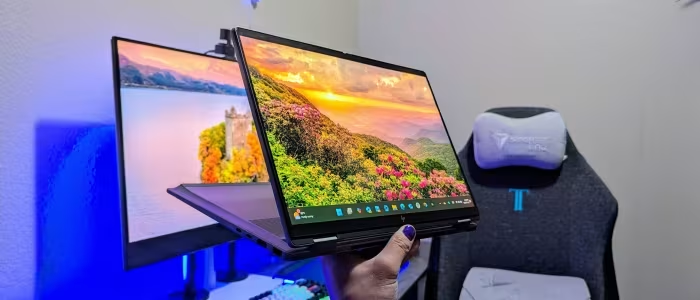
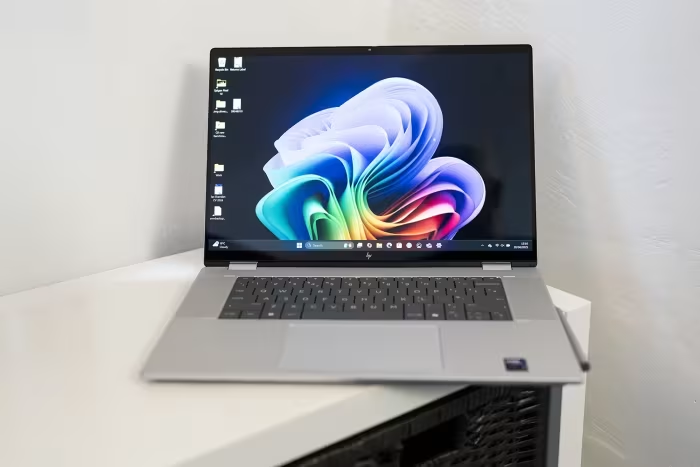
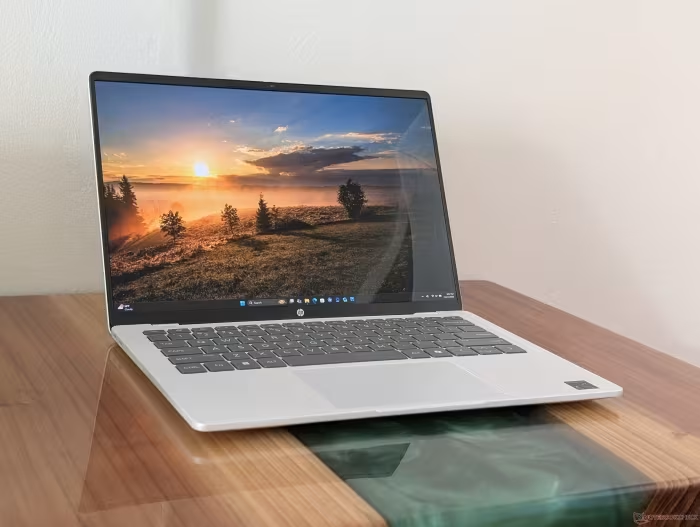
HP OmniBook 7 Review
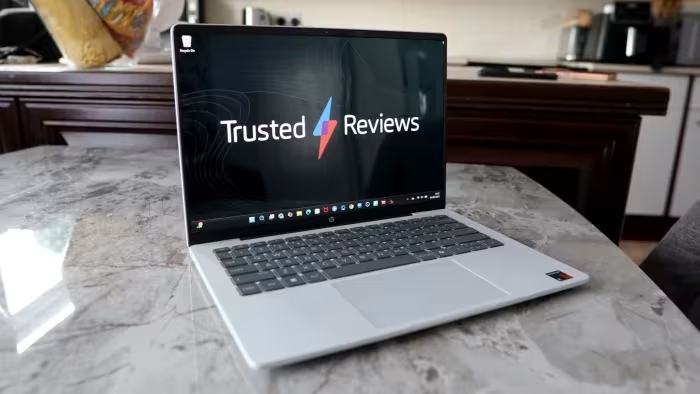
HP OmniBook 7 & OmniBook Ultra Series
A premium, ultra-portable Windows laptop line balancing AI-ready performance with high-end build quality for professionals and travelers.
How This Score Is Calculated
- Sources analysed: 21 reviews
- Explicit scores: 12 sources (weighted 1.5×)
- Sentiment-only: 9 sources (weighted 1.0×)
- Raw weighted average: 7.63/10
- Value sources: 14 of 21 mentioned price or value
- Final score: 7.6/10 (rounded)
- Most reviewed featurePortability (19/21)
- Most praisedDesign/Build
- Most criticisedBloatware/Port placement
- Reviewer consensus levelHigh
- Value for moneyGood Value (7.4/10)
The HP OmniBook 7 and Ultra series are widely praised for their exceptional portability, premium magnesium-aluminum construction, and reliable everyday performance. While they excel as professional tools for travel, reviewers frequently point to minor frustrations regarding port placement, pre-installed bloatware, and inconsistent keyboard travel. These machines represent a strong, albeit premium-priced, investment for those prioritizing a thin-and-light form factor.
🔧 Key Specifications
Specifications sourced from reviewer mentions. Verify with manufacturer for complete details.
- Processor: AMD Ryzen AI 7 / 9 HX 375 / Intel Core Ultra Series 2
- RAM: 16GB / 32GB
- Storage: 1TB SSD
- Display: 13.3-inch to 16-inch, WQXGA / 3K OLED options, 60Hz
- Battery: 12+ hours (typical)
- Charging: USB-C fast charging
- Main Camera: 5MP to 9MP IR Webcams
- OS: Windows 11
- IP Rating: —
- Weight: < 1kg (Aero models) to 1.5kg+
- Build Materials: Magnesium-aluminum alloy
💲 Price Range
₹54,200 – ₹1,86,900 ($649 – $1,369)
Prices vary significantly by region and configuration. Frequent discounting reported.
📊 What Reviewers Say — Feature by Feature
12 key features evaluated across 21 sources.
👍 Key Strengths
- Extremely lightweight and portable
- Premium aluminum-magnesium build
- Excellent OLED display options
- Strong daily productivity performance
- High-quality IR webcams
👎 Key Weaknesses
- Awkward/limited port placement
- Pre-installed bloatware
- Shallow or 'mushy' keyboard
- Limited upgradeability (soldered RAM)
- Variable battery performance
💰 Value for Money Analysis
Reviewers strongly advise purchasing these models during sales, as the full MSRP is frequently described as steep relative to the competition. When discounted, the value proposition is rated as excellent for the build quality provided.
14 of 21 sources commented on price or value.
⚡ Where Reviewers Disagreed
The following areas saw meaningful disagreement across sources.
- Keyboard Feel: 6 sources praised the 'comfortable' feedback, while 4 sources described it as 'mushy' or 'harsh' with insufficient travel.
- Gaming Capability: Some reviewers noted 'surprising gaming capability,' while others stated it is 'not suitable for heavy gaming' due to lack of a discrete GPU.
🎯 Who This Product Is For
🛠️ Best Use Cases
- Office ProductivityExcellent for multitasking, documents, and video calls.Great
- Student UseHigh portability and decent battery life for campus environments.Good
🔀 Alternatives Mentioned by Reviewers
- Apple MacBook Air — Frequently cited as the primary competitor, often noted for superior performance-per-watt and battery longevity, though the OmniBook offers better screen options at lower price points.
- Lenovo ThinkPad X1 Carbon — A direct professional rival; the OmniBook 7 is often preferred for its superior OLED display, while the ThinkPad is noted for its legendary keyboard and durability.
- Dell XPS 13 / 14 — Positioned as a more premium, rigid alternative; reviewers note the Dell often feels more 'solid' but comes at a higher price tag.
- Asus Zenbook S 13/14 — A close competitor in the thin-and-light space; it is often compared for display quality and portability, with the OmniBook sometimes offering better port selections.
- LG Gram — Another ultra-lightweight competitor; the OmniBook 7 is often noted for having better chassis rigidity than the Gram series.
✅ Buy This If…
- You prioritize a sub-1kg weight for travel.
- You can find it on sale (high MSRP is often flagged as poor value).
- You need a professional-grade Windows machine for office tasks.
❌ Skip This If…
- You are a creative professional needing a dedicated GPU.
- You require an elite-tier keyboard for heavy typing.
- You are sensitive to pre-installed 'bloatware' software.
⚠️ Things to Check Before Buying
- Verify if the specific model has an OLED screen, as IPS models may have poor color accuracy.
- Check port locations to ensure they suit your desk setup, as many reviewers find them impractical.
📈 Sentiment Trends Over Time
Reviews span early to mid-2025. The following changes were detected:
- Performance — Consistent praise for AMD Ryzen AI performance across the series despite minor thermal throttling in the lightest models.
The HP OmniBook 7 and Ultra are compelling ultraportables that successfully merge high-end aesthetics with capable productivity hardware. While they are held back by bloatware and some ergonomic quirks, their extreme portability and premium build make them excellent tools for mobile professionals. If you find them at a discounted price, they are a top-tier choice for daily Windows-based computing. If your budget allows for higher-end performance, consider the MacBook Air for battery efficiency.
Top Alternative: Apple MacBook Air — Better battery life and performance consistency for users not tied to Windows-exclusive software.