insta360 snap Review
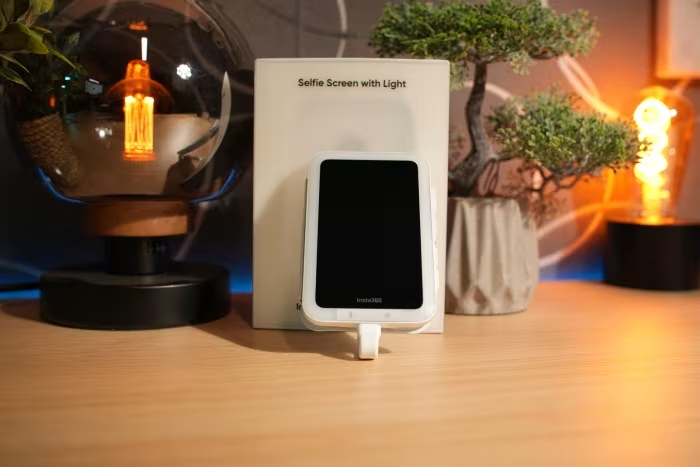
Insta360 Snap Selfie Screen
A magnetic, USB-C connected external display designed to let users frame selfies and vlogs using their smartphone's superior rear cameras.
How This Score Is Calculated
- Sources analysed: 8 reviews
- Explicit scores: 0 sources
- Sentiment-only: 8 sources (weighted 1.0×)
- Split: 5 Positive · 2 Mixed · 1 Negative
- Raw weighted average: 7.2
- Formula: Σ(score × weight) ÷ Σ(weight)
- Final score: 7.2/10 (clamped, rounded to 1 decimal)
Algorithmically calculated from source data. No manual adjustments.
- Most reviewed featureMagnetic Design (5/8)
- Most praisedRear Camera Quality
- Most criticisedPort Occupation/Setup
- Reviewer consensus levelModerate
The Insta360 Snap is a niche but highly effective tool for content creators looking to bypass the limitations of front-facing cameras. By enabling the use of a smartphone's primary rear sensor for self-recording, it provides a significant boost in image quality. However, reviewers note that it adds physical bulk, occupies the phone's charging port, and requires a slightly finicky setup process that may frustrate casual users.
🔧 Key Specifications
- Connectivity: USB-C (Wired)
- Mounting: Magnetic
- Features: Integrated AMIRO light (select models), Touchscreen capability
- Latency: Near-zero (wired)
- Power: Powered by phone (no external charging)
💲 Price Range
₹6,700 – ₹8,500
Prices sourced from reviews. Check current retailer pricing.
📊 What Reviewers Say — Feature by Feature
5 features evaluated across 8 sources.
👍 Key Strengths
- Superior rear-camera image quality
- Near-zero latency wired connection
- Convenient magnetic mounting system
- Useful integrated lighting for vlogging
👎 Key Weaknesses
- Occupies the phone's only USB-C port
- Clunky initial setup process
- Adds bulk to the phone
- Potential for accidental screen touches
💰 Value for Money Analysis
Reviewers generally consider the price of ₹6,700 to ₹8,500 to be fair for the utility it provides, especially when compared to the significantly higher cost of purchasing a foldable smartphone just for its external screen functionality.
5 of 8 sources commented on price or value.
⚡ Where Reviewers Disagreed
The following areas saw meaningful disagreement across sources.
- Touchscreen Controls: 2 sources praised the functionality, while 2 sources noted noticeable lag or imperfect palm rejection, suggesting a inconsistent user experience.
🎯 Who This Product Is For
Reviewer recommendations for different target audiences and use cases.
🛠️ Best Use Cases
- Solo VloggingProvides a live preview that makes framing professional-grade rear camera video simple for one-person setups.Great
- High-Res SelfiesAllows for high-resolution images using the primary camera sensor, bypassing the lower quality of front-facing lenses.Great
🔀 Alternatives Mentioned by Reviewers
The following products were compared to the Insta360 Snap in the source reviews.
- Foldable Smartphones — Reviewers frequently cite foldable phones as the primary competitor, noting that while the Snap is significantly cheaper, foldable phones offer a more integrated, seamless experience without the need for external hardware.
- Insta360 Nano — A portable 360 camera that functions as a standalone unit, though it is noted for being top-heavy and requiring the removal of phone cases.
- Insta360 Air — An Android-compatible 360 camera that was criticized for inferior image quality and lack of standalone capability compared to the Nano.
Alternatives sourced exclusively from reviewer mentions.
🛒 Buyer's Guide
✅ Buy This If…
- You are a dedicated vlogger who needs professional-grade video quality.
- You want the framing benefits of a foldable phone at a fraction of the cost.
- You require a stable, zero-latency wired preview for your rear camera.
❌ Skip This If…
- You need to charge your phone while recording for extended periods.
- You dislike carrying extra hardware or adding bulk to your smartphone.
- You are a casual user who finds modular accessories frustrating.
⚠️ Things to Check Before Buying
- Ensure your phone is compatible with the USB-C setup requirements.
- Check if your phone case interferes with the magnetic mounting system.
- Be prepared to adjust accessibility settings on your phone for full functionality.
The Insta360 Snap is a clever, functional solution for content creators who prioritize rear-camera image quality over convenience. While it does not offer the seamless integration of a foldable phone, its ability to provide professional-grade framing at a much lower price point is highly impressive. It is a solid choice for vloggers, provided you are willing to manage the trade-offs of extra bulk and port occupation. If you are a casual user, however, you may find the setup process more trouble than it is worth.
PLG_CONTENT_IMAGEGALLERY_ERROR_NO_IMAGES