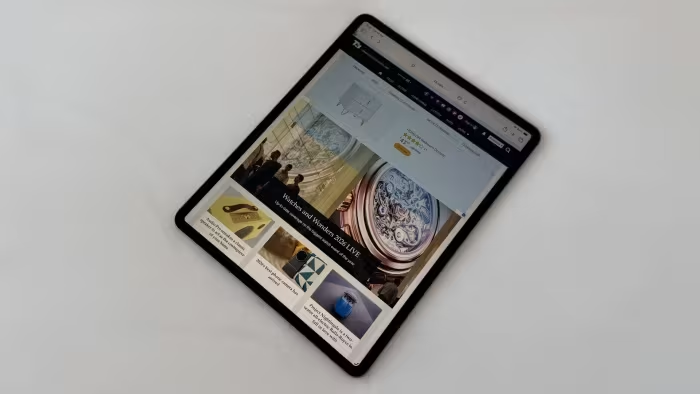
iPad Pro M4 Review
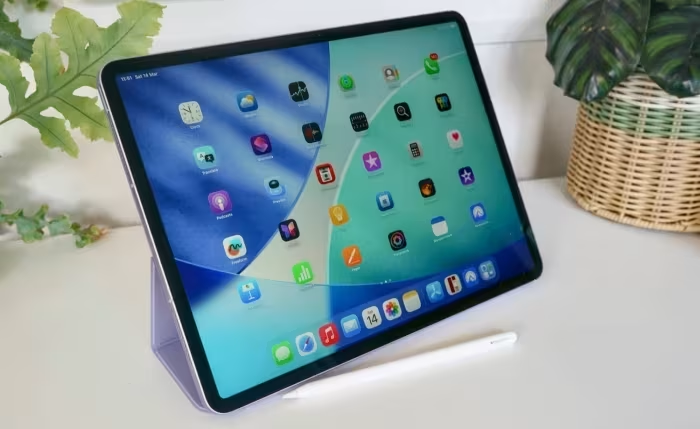
iPad Pro M4
An ultra-premium, ultra-thin creative tablet featuring the M4 chip and Tandem OLED display, manufactured by Apple.
How This Score Is Calculated
- Sources analysed: 14 reviews
- Raw weighted average: 8.7/10
- Final score: 8.7/10 (rounded to 1 decimal)
- Most reviewed featureM4 Performance (14/14)
- Most praisedOLED Display
- Most criticisediPadOS Limitations
- Reviewer consensus levelHigh
The iPad Pro M4 is widely considered a technical masterpiece, combining an industry-leading Tandem OLED display with the blistering speed of the M4 silicon in an impossibly thin 5.1mm chassis. While it represents the pinnacle of tablet hardware, reviewers almost universally agree that its potential is hampered by the constraints of iPadOS, which fails to fully leverage the device's immense power. It is an ideal tool for creative professionals who prioritize display quality and portability, but it remains an expensive luxury that often exceeds the needs of the average user.
🔧 Key Specifications
- Processor: Apple M4
- Display: Tandem OLED (Ultra Retina XDR)
- Thickness: 5.1mm
- Connectivity: Thunderbolt / USB 4.0
- OS: iPadOS
- Camera: Horizontal FaceTime camera
- Accessories: Apple Pencil Pro, New Magic Keyboard
💲 Price Range
₹83,000 – ₹2,67,000
Prices vary significantly based on storage, RAM, and CPU configurations.
📊 What Reviewers Say — Feature by Feature
Key features evaluated across 14 sources.
👍 Key Strengths
- Industry-leading M4 performance
- Stunning Tandem OLED display
- Ultra-thin and lightweight design
- Excellent battery life
👎 Key Weaknesses
- iPadOS limits hardware potential
- Very expensive price point
- Incompatible with older accessories
- Limited software utilization
💰 Value for Money Analysis
Most reviewers view this as a luxury investment. While the hardware is top-tier, the high price point—compounded by the need for new, expensive accessories—makes it difficult to justify for casual users.
10 of 14 sources commented on price or value.
⚡ Where Reviewers Disagreed
The following areas saw meaningful disagreement across sources.
- Laptop Replacement Viability: 3 sources argue it can serve as a laptop replacement for creatives, while 5 sources argue it is fundamentally less versatile and more awkward than a dedicated laptop due to OS limitations.
🎯 Who This Product Is For
🛠️ Best Use Cases
- Graphic Design & Illustration The Tandem OLED screen and M4 power make this an unmatched tool for digital artists. Great
- Portable Media Creation The lightweight design allows for high-end creative work while traveling. Great
- General Productivity While capable, the software limitations make it less efficient than a MacBook for many office tasks. OK
🔀 Alternatives Mentioned by Reviewers
- iPad Air M4 — The most frequently cited alternative. Reviewers describe it as the "Goldilocks" tablet for most users, offering nearly identical performance for significantly less money, though it lacks the Pro's OLED display and 120Hz ProMotion.
- M3 MacBook Pro / MacBook Air — Often compared as a more versatile alternative for users who need a true file system and desktop-class multitasking. Reviewers suggest choosing this if your primary goal is productivity rather than creative illustration.
- Samsung Galaxy Tab S11 / S10 FE+ — Mentioned as the primary Android alternatives. The S11 is noted as a premium competitor, while the S10 FE+ is positioned as a budget-friendly option that sacrifices high-end GPU performance.
🛒 Buyer's Guide
✅ Buy This If…
- You are a professional creative needing the best mobile OLED display available.
- You prioritize portability and need the thinnest, most powerful device possible.
- Budget is not a primary concern for your workflow.
❌ Skip This If…
- You are a casual user who only needs a device for streaming or light browsing.
- You require a full desktop operating system for complex file management.
- You are on a strict budget; the iPad Air M4 offers better price-to-performance.
⚠️ Things to Check Before Buying
- Factor in the cost of the new Magic Keyboard and Apple Pencil Pro, as older accessories are incompatible.
- Check if your specific creative applications are fully optimized for iPadOS.
The iPad Pro M4 is an engineering marvel that sets a new standard for tablet hardware, specifically regarding its stunning OLED display and M4 performance. However, it remains a luxury product defined by the tension between its massive potential and the limitations of iPadOS. It is the ultimate choice for creative professionals who need the absolute best, but most users will find the iPad Air M4 to be a far more sensible investment.
Top Alternative: iPad Air M4 — Offers nearly identical performance for a fraction of the cost, making it the better choice for non-professional users.