Lenovo ThinkBook Plus Gen 2 Review
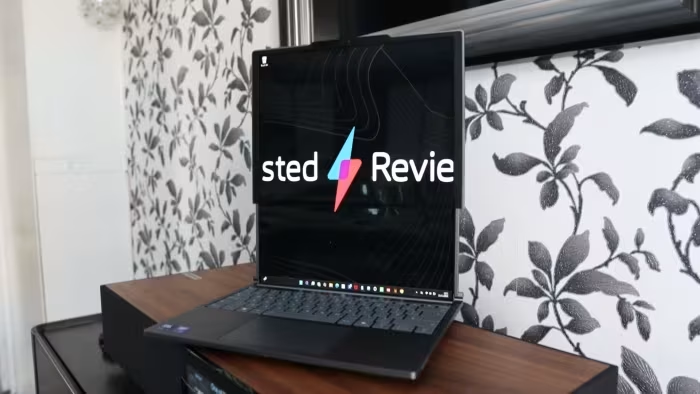
Lenovo ThinkBook Plus Gen 2
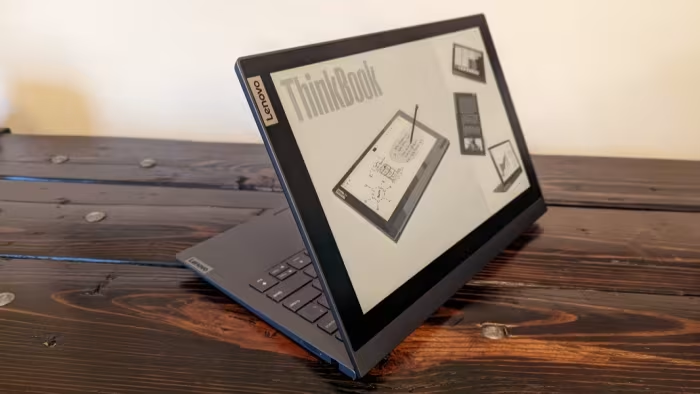
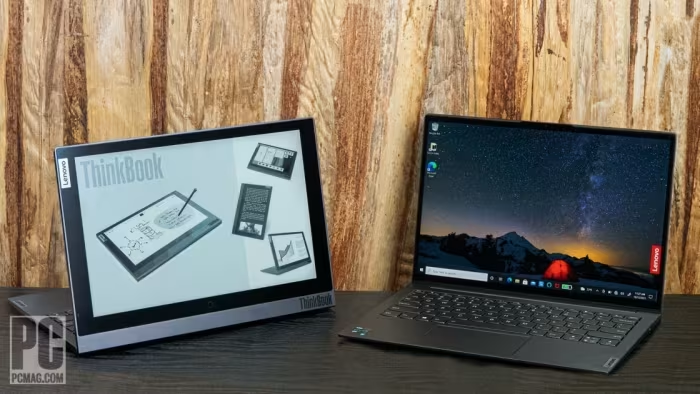
A premium business laptop featuring a unique secondary E-Ink display on the lid for specialized productivity.
How This Score Is Calculated
- Sources analysed: 8 reviews
- Split: 3 Positive · 4 Mixed · 1 Negative
- Raw weighted average: 6.4
- Final score: 6.4/10 (rounded to 1 decimal)
- Most reviewed featureSecondary Display (8/8)
- Most praisedBuild Quality
- Most criticisedBattery Life
- Reviewer consensus levelModerate
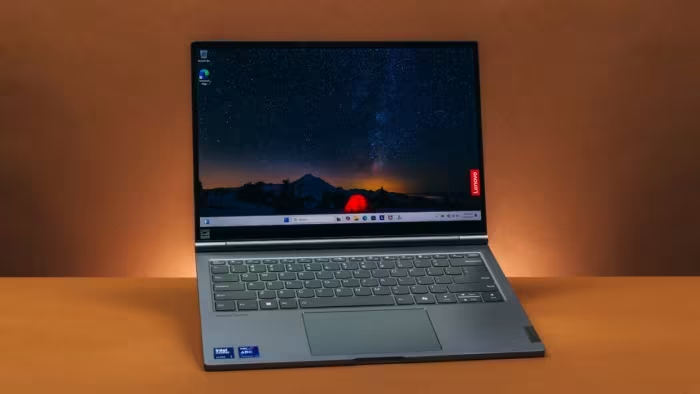
The Lenovo ThinkBook Plus Gen 2 is an ambitious, high-quality business machine defined by its secondary E-Ink display on the lid. While the primary hardware and build quality are excellent, the secondary screen is widely considered a niche curiosity rather than a practical necessity. It struggles with poor battery life and limited port selection, making it a difficult recommendation for anyone outside of specific power users who value novelty over pure utility.
🔧 Key Specifications
- Display: WQXGA primary, E-Ink secondary lid display
- Build Materials: Magnesium-aluminum alloy
- Webcam: 720p (no Windows Hello)
- Audio: Dolby Atmos
- Stylus: Integrated (noted as small/uncomfortable)
💲 Price Range
₹1,32,000
📊 What Reviewers Say — Feature by Feature
2 features evaluated across 8 sources.
👍 Key Strengths
- Premium magnesium-aluminum build
- Excellent WQXGA primary display
- Thin and lightweight design
- Dolby Atmos multimedia
👎 Key Weaknesses
- Poor battery life (under 6 hours)
- Slow E-Ink screen performance
- Limited port selection
- Mediocre 720p webcam
💰 Value for Money Analysis
Reviewers generally view the device as pricey, noting that the premium paid for the E-Ink display is hard to justify given its limited utility. It is often compared unfavorably to standard business ultraportables that offer better performance-per-dollar.
2 of 8 sources commented on price or value.
⚡ Where Reviewers Disagreed
The following areas saw meaningful disagreement across sources.
- Secondary Display Utility: 4 sources found it useful for specific tasks like reading, while 4 sources dismissed it as a slow, non-essential gimmick.
🎯 Who This Product Is For
Reviewer recommendations for different target audiences and use cases.
🛠️ Best Use Cases
- Mobile Productivity Good for users who value portability and premium design over extreme battery longevity. Good
- Reading/Document Review The E-Ink screen is specifically cited as useful for reading documents, despite performance lag. OK
🔀 Alternatives Mentioned by Reviewers
Reviewers suggest several alternatives for those who prefer traditional utility or better performance.
- Lenovo ThinkPad X1 Carbon — Cited as the direct performance equivalent; choose this if you want the same core performance and reliability without the experimental E-Ink screen.
Alternatives sourced exclusively from reviewer mentions.
🛒 Buyer's Guide
✅ Buy This If…
- You specifically need an E-Ink display for reading on the go.
- You prioritize a premium, lightweight magnesium-aluminum chassis.
❌ Skip This If…
- You require all-day battery life (currently under 6 hours).
- You need a wide variety of ports and connectivity.
- You want the best value-for-performance ratio in a business laptop.
The Lenovo ThinkBook Plus Gen 2 is a beautifully built piece of hardware that fails to fully justify its unique E-Ink feature. While it offers a premium experience, the short battery life and limited practical application of the secondary screen hinder its appeal. Most users will be better served by a standard ultraportable like the ThinkPad X1 Carbon. Only buy this if you are a niche user who specifically benefits from the E-Ink lid display.
Top Alternative: Lenovo ThinkPad X1 Carbon — A more reliable, practical choice for business users.