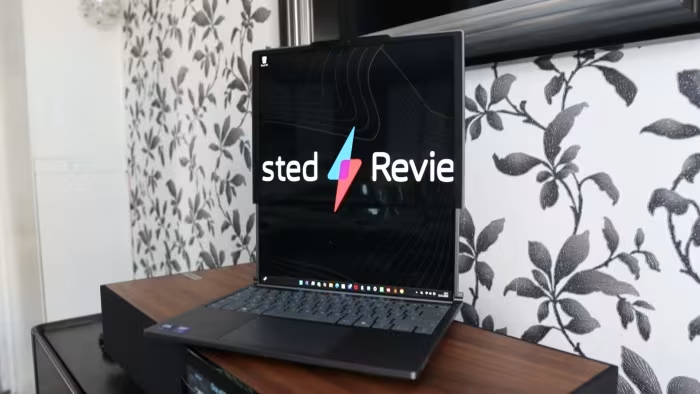
Lenovo ThinkBook Plus Gen 6 Rollable Review
Lenovo ThinkBook Plus Gen 6 Rollable
An innovative, high-end business ultrabook featuring a motorized rollable OLED display designed for mobile professionals and multitaskers.
How This Score Is Calculated
- Sources analysed: 6 reviews
- Sentiment-only: 6 sources (weighted 1.0×)
- Split: 4 Positive · 2 Mixed · 0 Negative
- Raw weighted average: 7.2
- Formula: Σ(score × weight) ÷ Σ(weight)
- Final score: 7.2/10 (clamped, rounded to 1 decimal)
Algorithmically calculated from source data. No manual adjustments.
- Most reviewed featureRollable Display (6/6)
- Most praisedMultitasking utility
- Most criticisedHigh price
- Reviewer consensus levelHigh
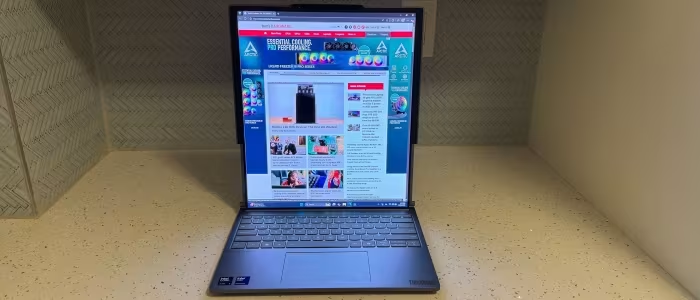
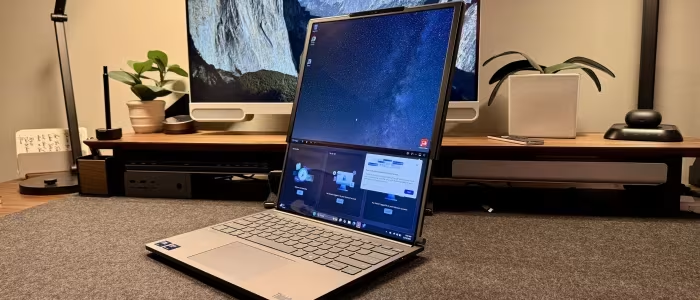
The Lenovo ThinkBook Plus Gen 6 Rollable is a groundbreaking piece of hardware that successfully delivers a functional, motorized vertical screen expansion. It is a dream for mobile professionals who need extra vertical real estate for documents and research, though its extreme price tag and first-generation limitations make it a niche investment. While it offers a transformative productivity experience, users must balance this against a limited port selection and a non-touchscreen panel.
🔧 Key Specifications
Specifications sourced from reviewer mentions. Verify with manufacturer for complete details.
- Display: 16.7-inch OLED (expanded), 14-inch (base), 120Hz refresh rate
- Charging: 65W GaN USB-C
- Connectivity: Wi-Fi 7, Bluetooth 5.4, 2x Thunderbolt 4 ports
- Storage: User-replaceable SSD
- RAM: Non-upgradeable
- Security: Built-in fingerprint reader
💲 Price Range
$3,299 / ₹2,70,000 - ₹2,77,000
Prices sourced from reviews. Check current retailer pricing.
📊 What Reviewers Say — Feature by Feature
6 features evaluated across 6 sources.
👍 Key Strengths
- Innovative vertical rollable OLED screen
- Excellent keyboard and haptic trackpad
- Strong color accuracy and contrast
- Surprisingly high-quality speaker performance
- Fast 65W GaN charging
👎 Key Weaknesses
- Extremely high price point
- Meagre port selection (2x USB-C only)
- No touchscreen support
- Visible crease on OLED panel
- Non-upgradeable RAM
💰 Value for Money Analysis
Reviewers almost unanimously agree that the premium for the rollable technology is difficult to justify. At $3,299, it is positioned as a niche device for enthusiasts rather than a value-driven work machine.
6 of 6 sources commented on price or value.
⚡ Where Reviewers Disagreed
The following areas saw meaningful disagreement across sources.
- Battery Life: 1 source praised it as 'good' for daily use, while 2 sources described it as 'meagre' or 'mediocre'. The disagreement likely stems from differing usage patterns, specifically how heavily the rollable display is deployed during mobile work.
🎯 Who This Product Is For
Reviewer recommendations for different target audiences and use cases.
🛠️ Best Use Cases
- Vertical MultitaskingThe rollable display is excellent for research and document review, offering a unique vertical expansion that traditional screens lack.Great
- Mobile ProductivityProvides a 16.7-inch experience in a 14-inch chassis, making it perfect for travellers who need screen real estate without external monitors.Great
- Gaming/High PerformanceWhile it has 'decent' power, reviewers suggest dedicated gaming laptops offer better value and performance.OK
🔀 Alternatives Mentioned by Reviewers
- Asus Zenbook Duo (2025) — A dual-screen alternative often compared for its multitasking capabilities. Reviewers note the ThinkBook offers a more integrated and ergonomic screen-extension experience, though the Zenbook may be more versatile for some users.
- Asus ProArt P16 — A high-end creative laptop cited as a more conventional, powerful alternative that provides better value for money than the rollable ThinkBook.
- MacBook Pro — The industry standard for premium ultrabooks; reviewers note it offers more reliable performance at a lower price point compared to the niche ThinkBook.
- HP OmniBook X — Mentioned as a standard premium laptop that offers better performance and value for general users who do not require a rollable display.
- Dell Pro 14 / HP EliteBook — Conventional 14-inch clamshells recommended for those who prioritize port variety, durability, and standard pricing over innovative screen technology.
Alternatives sourced exclusively from reviewer mentions.
🛒 Buyer's Guide
✅ Buy This If…
- You are a professional who needs extra vertical screen space for documents and research.
- You are a tech enthusiast who values cutting-edge, innovative form factors above all else.
- You work on the go and need a large screen experience without carrying external monitors.
❌ Skip This If…
- You are on a budget or looking for the best price-to-performance ratio.
- You require a wide variety of ports like HDMI or USB-A for your workflow.
- You need a touchscreen interface for your daily productivity tasks.
⚠️ Things to Check Before Buying
- Be aware that the extended display mode is limited to vertical orientation only.
- The device does not feature a touchscreen, which may impact some workflows.
- The hardware is a first-generation concept, so expect some visual imperfections like a crease in the screen.
The Lenovo ThinkBook Plus Gen 6 Rollable is a remarkable engineering feat that genuinely improves productivity for multitaskers. While its high price and port limitations are significant drawbacks, the vertical screen expansion is a transformative feature for mobile professionals. If you need the extra screen real estate and can afford the premium, it is a unique, highly capable device. For most, however, a traditional high-end laptop will offer better value.
Top Alternative: Asus Zenbook Duo (2025) — A more established dual-screen alternative that provides similar multitasking benefits at a different price point.