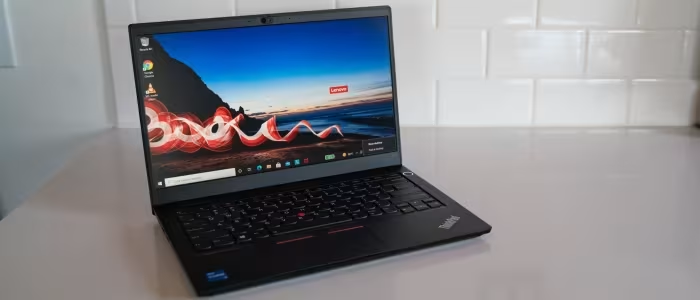
Lenovo ThinkPad E14 Review
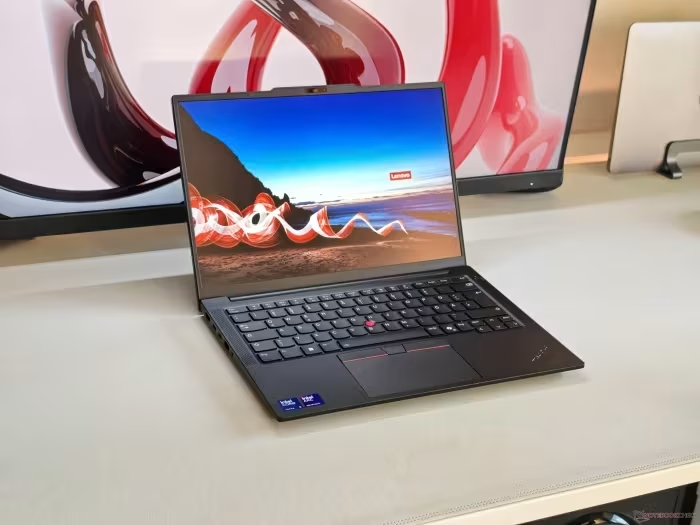
Lenovo ThinkPad E14
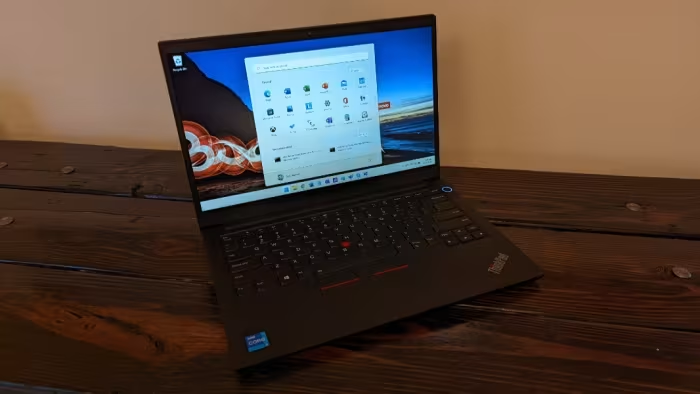
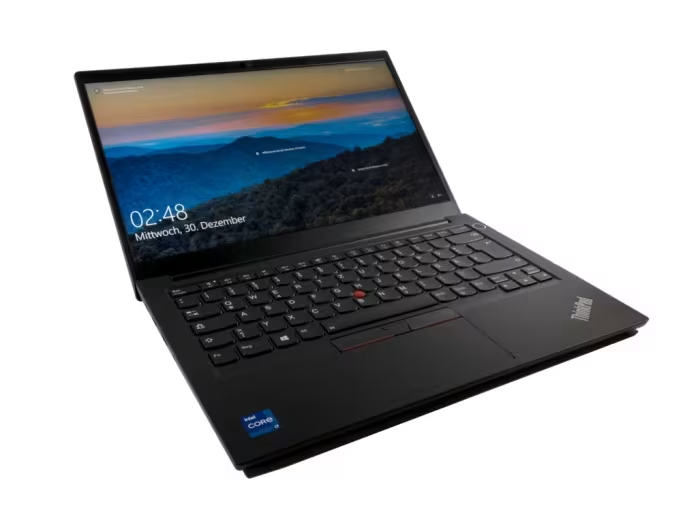
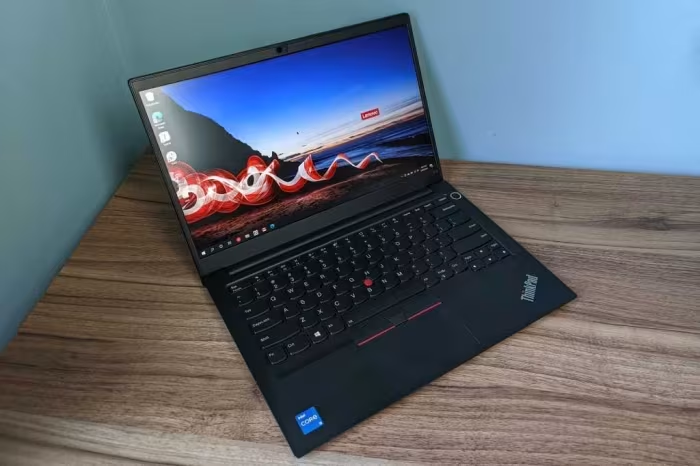
The Lenovo ThinkPad E14 is an entry-level business laptop designed to offer essential enterprise features at a budget-friendly price point.
How This Score Is Calculated
- Sources analysed: 28 reviews
- Explicit scores: 22 sources (weighted 1.5×)
- Sentiment-only: 6 sources (weighted 1.0×)
- Split: 18 Positive · 7 Mixed · 3 Negative
- Raw weighted average: 6.8
- Formula: Σ(score × weight) ÷ Σ(weight)
- Review period: Gen 2 through Gen 7
- Value sources: 24 of 28 mentioned price or value
- Final score: 6.8/10 (clamped, rounded to 1 decimal)
Algorithmically calculated from source data. No manual adjustments.
- Most reviewed featureKeyboard (28/28)
- Most praisedKeyboard & Typing experience
- Most criticisedDisplay quality & Color accuracy
- Reviewer consensus levelModerate
- Value for moneyGood Value (7.2/10)
The Lenovo ThinkPad E14 series is consistently lauded for its 'gold standard' keyboard and robust build quality, making it a reliable workhorse for business users on a budget. While it excels in daily productivity and connectivity, reviewers frequently point to underwhelming display panels—often dim with poor color gamut—and mediocre battery life as its primary drawbacks. It is widely considered a practical, utilitarian choice that prioritizes professional fundamentals over premium aesthetics.
🔧 Key Specifications
Specifications sourced from reviewer mentions. Verify with manufacturer for complete details.
- Processor: Intel Core (up to 13th Gen) / AMD Ryzen (5000/7000 series)
- Display: 14-inch, various panels (1080p, 2.2K optional, 120Hz available on newer gens)
- Battery: Varies by generation; mixed reports on longevity
- Charging: USB-C charging (often occupying the only C-port)
- Camera: 720p to 1080p options; IR sensor available on select models
- Connectivity: Thunderbolt 4 (Intel models), USB4 (select models), Wi-Fi 6/6E
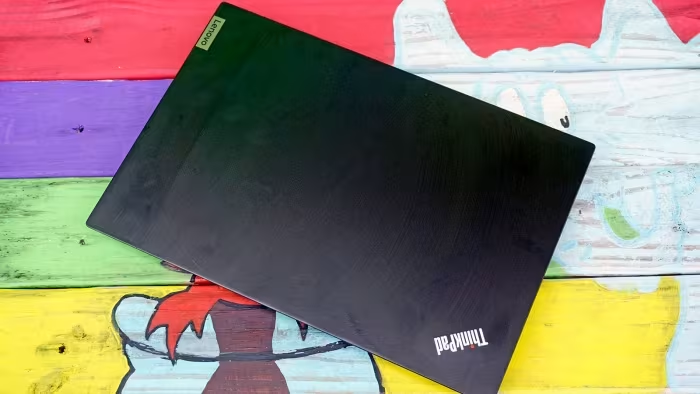
- Build Materials: Aluminum lid/base options, plastic chassis
- Security: Fingerprint reader, mechanical ThinkShutter webcam cover
💲 Price Range
Approximately ₹44,500 to ₹1,37,000
Prices sourced from reviews. Check current retailer pricing.
📊 What Reviewers Say — Feature by Feature
8 features evaluated across 28 sources.
👍 Key Strengths
- Excellent, industry-leading keyboard and TrackPoint
- Robust and durable chassis construction
- Good variety of ports including Thunderbolt
- Strong CPU performance for daily tasks
- Reliable security features like ThinkShutter
👎 Key Weaknesses
- Dim displays with poor color accuracy
- Mediocre battery life on many models
- Surface prone to fingerprints and smudges
- Small or unreliable trackpad experience
- Limited repairability on newer, integrated-RAM units
💰 Value for Money Analysis
Reviewers generally agree that the E14 provides a solid, professional-grade experience for a mid-range price. While it lacks the premium materials of the T-series, it is considered a smarter financial choice for productivity-focused users who don't need luxury features.
24 of 28 sources commented on price or value.
⚡ Where Reviewers Disagreed
The following areas saw meaningful disagreement across sources.
- Performance: 15 sources praised the performance for productivity, while 8 sources found it 'underwhelming' or 'middling' compared to more expensive alternatives. Disagreement often stems from the specific CPU configuration (Intel vs. AMD) and the generation being tested.
🎯 Who This Product Is For
Reviewer recommendations for different target audiences and use cases.
🛠️ Best Use Cases
- Productivity & WritingThe superior keyboard travel and tactile feedback are perfect for heavy typing, coding, and administrative tasks.Great
- Office PortabilityWhile not the lightest in its class, its sturdy build allows it to survive frequent commutes between office and home.Good
🔀 Alternatives Mentioned by Reviewers
Maximise this list. Include EVERY single competitor, rival, or alternative product mentioned in any of the source reviews.
- ThinkPad T-Series / X1 Carbon — Frequently cited as the 'premium' step-up. These offer superior materials, lighter builds, and better screens but come at a significantly higher price point. Choose these if you need professional-grade durability or weight savings.
- Asus ZenBook 14 OLED — Often compared as a 'consumer' alternative. While it provides a vastly superior screen, reviewers note the ThinkPad remains better for keyboard comfort and professional durability.
- HP EliteBook / ProBook — Direct business rivals. The EliteBook is often cited as a more premium, feature-rich alternative, while the ProBook is seen as a direct price-to-performance competitor to the E14.
- Dell Latitude Series — A common business competitor. Reviewers note that these often feature similar port selections but vary on keyboard feel and build aesthetics.
- MacBook Air — Mentioned as a portability benchmark. It is noted for being lighter and having better battery efficiency, but lacks the Windows-centric business ecosystem of the ThinkPad.
Alternatives sourced exclusively from reviewer mentions.
🛒 Buyer's Guide
✅ Buy This If…
- You prioritize keyboard quality above all else for work.
- You need a durable, reliable machine for general office tasks.
- You are looking for the best price-to-performance ratio in the business category.
❌ Skip This If…
- You are a creative professional requiring high color accuracy.
- You need a lightweight device for extreme portability.
- You are looking for top-tier aesthetics or premium build materials.
⚠️ Things to Check Before Buying
- Check the specific display panel spec; avoid the base models if you need brightness for outdoor use.
- Verify if your specific configuration allows for RAM upgrades, as newer generations have moved to integrated memory.
- Ensure the port selection meets your needs, particularly regarding USB-C charging limitations.
📈 Sentiment Trends Over Time
Reviews span from Gen 2 to Gen 7. The following changes were detected:
- Battery Life — Newer generations (specifically with Lunar Lake processors) have shown significant improvements in battery longevity compared to earlier E14 models.
- Repairability — Newer generations have increasingly restricted RAM and storage expandability compared to the more accessible older models.
The Lenovo ThinkPad E14 remains a highly reliable choice for business users who value a best-in-class keyboard and a sturdy, professional design. While it struggles with display quality and occasional battery limitations, it offers excellent value for daily productivity. For most office workers, it is a practical, no-nonsense tool that delivers where it counts.
Top Alternative: ThinkPad T-Series — Choose this if you require premium build materials and a superior display for a higher budget.