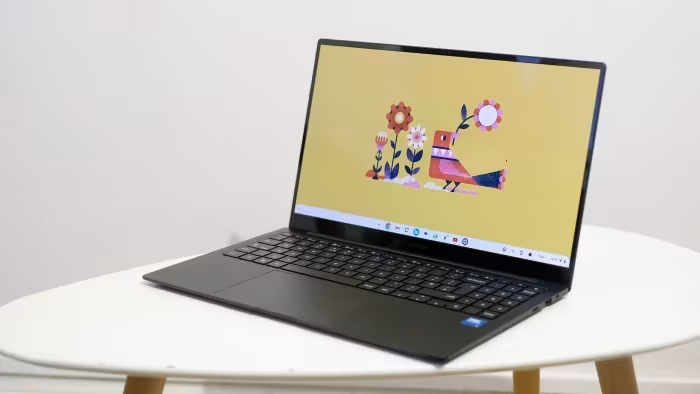
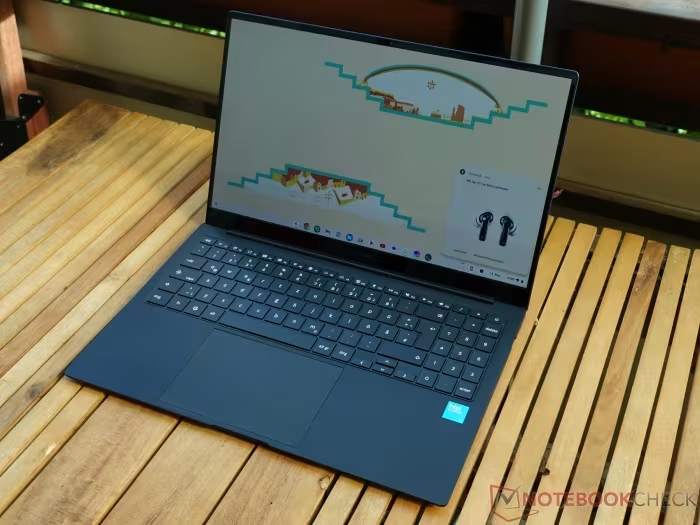
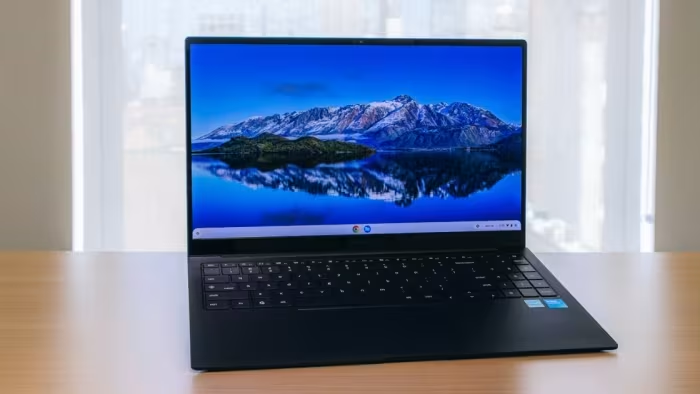
Samsung Galaxy Chromebook Plus Review
Samsung Galaxy Chromebook Plus
A premium, ultra-thin, and lightweight Chromebook featuring an AMOLED display and high-performance hardware for productivity users.
How This Score Is Calculated
- Sources analysed: 6 reviews
- Explicit scores: 0 sources (sentiment-based weighting)
- Sentiment-only: 6 sources (weighted 1.0×)
- Split: 4 Positive · 2 Mixed · 0 Negative
- Raw weighted average: 7.8
- Formula: Σ(score × weight) ÷ Σ(weight)
- Value sources: 5 of 6 mentioned price or value
- Final score: 7.8/10 (rounded to 1 decimal)
Algorithmically calculated from source data. No manual adjustments.
- Most reviewed featureDesign/Weight (6/6)
- Most praisedAMOLED Display
- Most criticisedHigh Price
- Reviewer consensus levelHigh
- Value for moneyFair Value (6.2/10)
The Samsung Galaxy Chromebook Plus is an exceptionally thin and lightweight premium laptop that sets a new design standard for the Chrome OS ecosystem. It pairs a stunning AMOLED display with reliable performance, making it an excellent choice for users who prioritize portability and aesthetics. However, its high price point and lack of a touchscreen or convertible hinge may limit its appeal for those seeking more versatile features.
🔧 Key Specifications
Specifications sourced from reviewer mentions. Verify with manufacturer for complete details.
- Processor: Intel Raptor Lake
- Display: Large AMOLED
- Build Materials: Metal
- Ports: Solid selection
- Keyboard: Illuminated with Quick Insert Key
💲 Price Range
Approximately ₹58,500 to ₹72,000
Prices sourced from reviews. Check current retailer pricing.
📊 What Reviewers Say — Feature by Feature
5 features evaluated across 6 sources.
👍 Key Strengths
- Incredibly thin and lightweight design
- Stunning AMOLED display quality
- Fast, reliable everyday performance
- Excellent keyboard with Quick Insert key
- Solid, useful port selection
👎 Key Weaknesses
- Expensive for a Chromebook
- No touchscreen option
- Mediocre webcam performance
- Lackluster, tinny external speakers
- Highly reflective display surface
💰 Value for Money Analysis
Reviewers generally agree that while the build quality is premium, the price point (₹58,500–₹72,000) makes it difficult to justify against mid-range competitors. It is often described as a luxury purchase rather than a value-driven one.
5 of 6 sources commented on price or value.
⚡ Where Reviewers Disagreed
The following areas saw meaningful disagreement across sources.
- Keyboard/Trackpad Layout: 2 sources praised the keyboard's comfort and layout, while 2 sources criticized the offset, divisive layout and the 'clicky' feel of the touchpad.
🎯 Who This Product Is For
Reviewer recommendations for different target audiences and use cases.
🛠️ Best Use Cases
- Content ConsumptionThe stunning AMOLED display makes it great for watching media, provided the user can overlook the tinny speakers.Good
- Office WorkThe high-quality keyboard and fast performance are well-suited for heavy document editing and research.Great
- Video ConferencingThe mediocre webcam performance makes this a sub-optimal choice for professional video calls.Poor
🔀 Alternatives Mentioned by Reviewers
- Asus Chromebook Plus CX34 — A 14-inch alternative that is more budget-friendly but lacks the premium metal design and superior screen of the Samsung.
- Acer Chromebook Plus 514 — A cheaper competitor that offers a more standard Chromebook experience without the ultra-portable profile.
- HP Chromebook Plus 14a — A lower-cost alternative that is significantly thicker and heavier, lacking the high-end display quality of the Samsung.
- Acer Chromebook Spin 714 — A convertible alternative that offers more versatility than the non-touch Samsung, though with a different build philosophy.
- HP Elite Dragonfly / Dragonfly Pro — High-end professional Chromebooks that are considered the only true peers in terms of build quality and premium positioning.
Alternatives sourced exclusively from reviewer mentions.
🛒 Buyer's Guide
✅ Buy This If…
- You prioritize extreme portability and a lightweight design.
- You want one of the best displays currently available on a Chromebook.
- You are a productivity user who values a comfortable, high-quality keyboard.
❌ Skip This If…
- You require a touchscreen for your workflow.
- You are on a budget and looking for high price-to-performance value.
- You do significant amounts of video conferencing and need a high-quality webcam.
⚠️ Things to Check Before Buying
- Check for current discounts, as the high launch price is often criticized.
- Verify if your workflow requires a touchscreen, as this model explicitly lacks one.
- Consider the limited configuration options available before purchasing.
📈 Sentiment Trends Over Time
Reviews generally align on the premium positioning, though early sentiment focused on the design innovation, while later reviews emphasized the difficulty of justifying the price.
The Samsung Galaxy Chromebook Plus is a triumph of design and display technology, making it one of the most attractive laptops for mobile professionals. While it is held back by a high price tag, lack of a touchscreen, and a mediocre webcam, the overall experience is polished and premium. It is the ideal choice for users who want the lightest, most stylish Chromebook available and are willing to pay for it.
Top Alternative: HP Elite Dragonfly — Consider this if you need professional-grade features and high-end build quality in a similar premium tier.