Adobe Acrobat Standard Review
Adobe Acrobat Standard
A professional-grade PDF editing and document management suite designed for reliable creation, conversion, and e-signature workflows.
How This Score Is Calculated
- Sources analysed: 7 reviews
- Sentiment-only: 7 sources (weighted 1.0×)
- Split: 4 Positive · 2 Mixed · 1 Negative
- Raw weighted average: 6.8
- Formula: Σ(score × weight) ÷ Σ(weight)
- Review period: Legacy to 2024
- Value sources: 5 of 7 mentioned price or value
- Final score: 6.8/10 (clamped, rounded to 1 decimal)
Algorithmically calculated from source data. No manual adjustments.
- Most reviewed featureInterface (4/7)
- Most praisedEditing/Conversion Accuracy
- Most criticisedSubscription Pricing
- Reviewer consensus levelModerate
- Value for moneyFair Value (5.5/10)
Adobe Acrobat Standard is a reliable, polished tool that excels at everyday PDF tasks, offering superior layout rendering and conversion accuracy compared to cheaper alternatives. However, its value proposition is frequently challenged by a high subscription cost and the strategic omission of features like OCR and advanced redaction found in the Pro version. It is best suited for office users who prioritize consistent, professional-grade document handling over budget-friendly pricing.
🔧 Key Specifications
- OS: Windows and macOS
- Core Tools: PDF editing, conversion, e-signatures, password protection
- Integration: Microsoft Office
- Security: Password protection, redaction (varies by version)
💲 Price Range
Approximately ₹1,100 to ₹35,000 (varies by region/era)
Prices sourced from reviews. Check current retailer pricing.
📊 What Reviewers Say — Feature by Feature
4 features evaluated across 7 sources.
👍 Key Strengths
- High-fidelity conversion accuracy
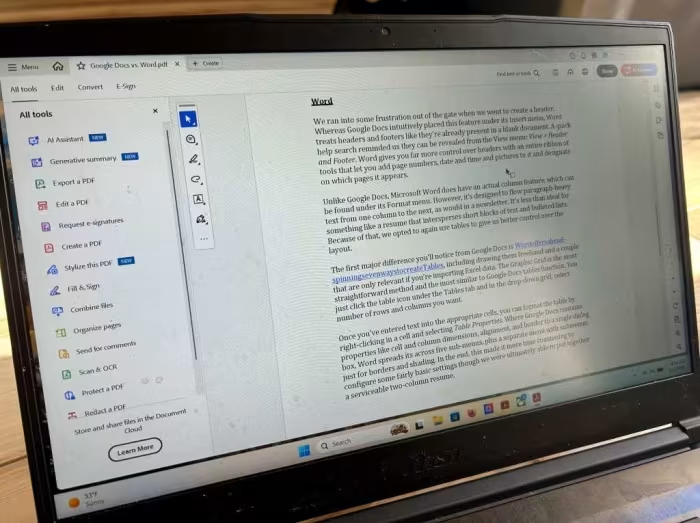
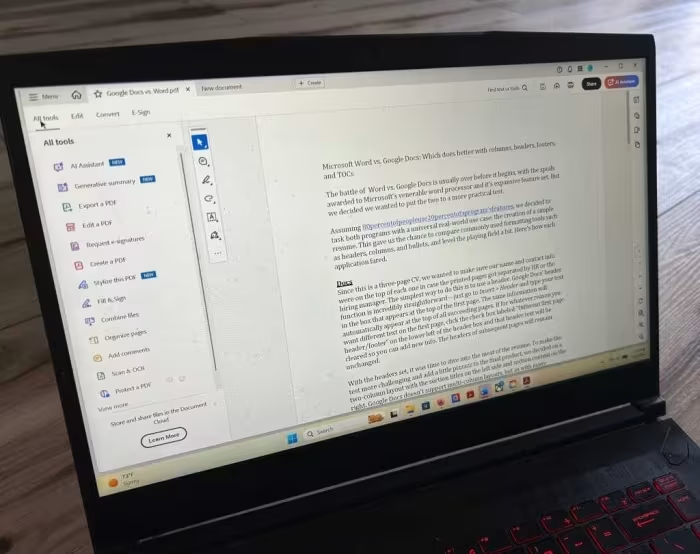
- Polished, intuitive interface
- Robust Office application integration
- Reliable e-signature workflow
👎 Key Weaknesses
- Steep subscription pricing
- Lacks OCR for scanned documents
- No advanced redaction tools
- Expensive compared to third-party competitors
💰 Value for Money Analysis
Reviewers generally feel the subscription price is high for a "feature-limited" tier. While it offers better reliability than budget alternatives, the omission of key features makes it difficult to justify the cost for casual users.
5 of 7 sources commented on price or value.
⚡ Where Reviewers Disagreed
The following areas saw meaningful disagreement across sources.
- Ease of Use: 3 sources praised the interface as easy/intuitive, while 1 source noted that finding specific tools can be time-consuming and another noted a steep learning curve for advanced features.
🎯 Who This Product Is For
🛠️ Best Use Cases
- Document Conversion Superior at maintaining layout integrity when moving files between PDF and Microsoft Office formats. Great
- E-Signatures Streamlined workflow for filling out forms and securing signatures on professional documents. Great
- Advanced Document Processing Poor performance for tasks requiring OCR on scanned documents or high-end side-by-side comparison. Poor
🔀 Alternatives Mentioned by Reviewers
- Adobe Acrobat Pro — The industry benchmark that includes advanced features like OCR, redaction, and comparison tools which are stripped from the Standard version. Recommended for power users who need a comprehensive suite regardless of cost.
- Easeus PDF Editor — A significantly cheaper alternative that provides similar functionality for basic document management. Choose this if you are budget-conscious and do not require Adobe's specific level of layout accuracy.
- FoxIt PDF Editor — A direct competitor often cited as a more affordable option for professional-grade PDF editing. Recommended for users seeking a balance between price and performance.
- ILovePDF — A lightweight alternative often compared for basic PDF tasks. Recommended for users who need simple conversion and editing without the overhead of a full professional suite.
✅ Buy This If…
- You require high-accuracy conversion between PDF and Microsoft Office formats.
- You need a stable, professional environment for e-signatures and form management.
- You value consistent layout rendering across all your documents.
❌ Skip This If…
- You need OCR capabilities for scanned documents.
- You are a light user who only needs basic PDF tools.
- You are looking for the most cost-effective solution on the market.
⚠️ Things to Check Before Buying
- Verify if you specifically need Pro features like OCR or redaction before committing to Standard.
- Check for current subscription pricing, as it is often cited as a major drawback.
📈 Sentiment Trends Over Time
Reviews span from legacy versions (Acrobat 7/X) to 2024. The following changes were detected:
- Reliability — The software has consistently remained the industry benchmark for rendering and conversion accuracy over the years.
- Interface — Modern iterations have moved toward a cleaner, more tabbed, and centralized interface compared to legacy versions.
Adobe Acrobat Standard is a reliable, high-performance tool for those who prioritize document accuracy and professional workflow integration. While its subscription pricing is difficult to justify for casual users and it lacks essential power-user features like OCR, it remains the standard for business document management. If you need consistent results and professional-grade conversion, it is a safe choice, but budget-conscious users should consider alternatives like FoxIt before committing.