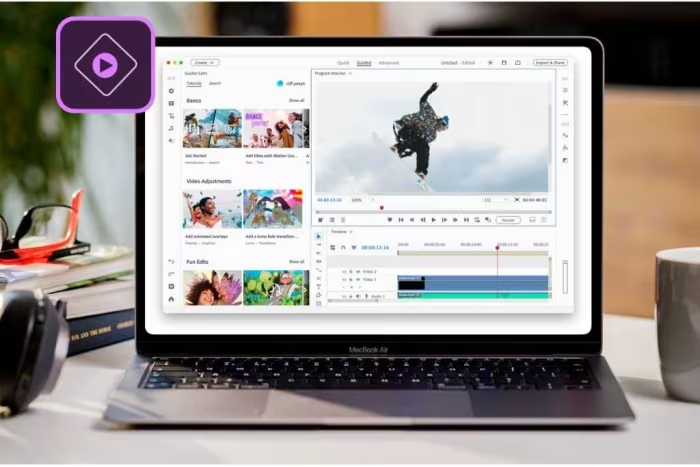
Adobe Premiere Elements Review
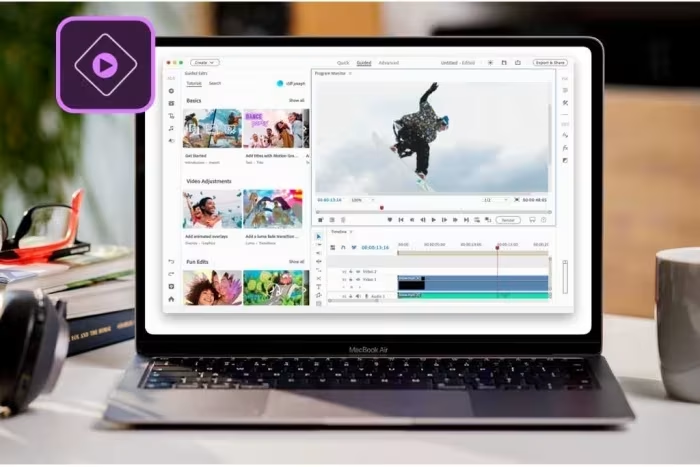
Adobe Premiere Elements
A consumer-grade, non-linear video editing suite designed to provide amateur editors with a bridge to professional-level creative control.
How This Score Is Calculated
- Sources analysed: 23 reviews
- Raw weighted average: 6.8/10
- Review period: 2006–2025
- Value sources: 18 of 23 mentioned price or value
- Final score: 6.8/10 (clamped, rounded to 1 decimal)
Algorithmically calculated from source data. No manual adjustments.
- Most reviewed featureGuided Edits (14/23)
- Most praisedGuided Edits
- Most criticised3-Year License Limit
- Reviewer consensus levelModerate
- Value for moneyGood Value (7.2/10)
Adobe Premiere Elements remains a staple for hobbyists seeking a balance between accessible guided workflows and professional-style creative control. While long praised for its intuitive 'Guided Edits' and cross-platform reliability, recent versions have faced criticism for restrictive licensing terms and an increasingly complex interface. It serves as an ideal stepping stone for beginners, though advanced users may find it lacking compared to more performance-oriented rivals.
🔧 Key Specifications
Specifications sourced from reviewer mentions. Verify with manufacturer for complete details.
- Platform: Mac and PC
- Editing Modes: Quick, Guided, and Advanced
- Max Resolution: 4K UHD (30p in recent versions)
- Special Features: AI-powered tools, 360 VR editing, Motion titles
- Compatibility: Elements Organizer integration
💲 Price Range
Approx. ₹5,800 – ₹14,000
Prices sourced from reviews. Check current retailer pricing.
📊 What Reviewers Say — Feature by Feature
Key features evaluated across 23 sources.
👍 Key Strengths
- Excellent guided learning tools
- Powerful cross-platform compatibility
- Professional-grade editing controls
- Strong AI-assisted features
- One-time purchase model (mostly)
👎 Key Weaknesses
- Restrictive 3-year license limit
- Inconsistent AI performance
- Interface can feel cluttered/dated
- Lacks deep professional multicam support
- Performance lags behind competitors
💰 Value for Money Analysis
Historically viewed as an excellent one-time purchase, the value perception has been dampened by the recent introduction of a 3-year license expiration. Despite this, it remains cheaper than professional-grade subscription services.
18 of 23 sources commented on price or value.
⚡ Where Reviewers Disagreed
The following areas saw meaningful disagreement across sources.
- Interface Ease-of-Use: 8 sources praised it as intuitive and accessible, while 6 sources criticized it as unnecessarily complex and intimidating for beginners.
🎯 Who This Product Is For
Reviewer recommendations for different target audiences and use cases.
🛠️ Best Use Cases
- Social Media Content Great for quick exports and basic effects, though auto-reframe tools are noted to be inconsistent. Good
- Learning Video Editing The gold standard for tutorials and guided workflows for beginners. Great
🔀 Alternatives Mentioned by Reviewers
Maximise this list. Include EVERY single competitor, rival, or alternative product mentioned in any of the source reviews.
- CyberLink PowerDirector — Frequently cited as the top competitor; reviewers often note it offers faster rendering and better feature breadth, though it is often Windows-only.
- Apple iMovie — Often recommended as the simpler, free, Mac-only alternative for basic projects.
- DaVinci Resolve — The professional-grade alternative for those wanting power; it is free but has a much steeper learning curve.
- Pinnacle Studio — A direct competitor often compared for its similar consumer-friendly power and feature set.
- Adobe Premiere Pro — The professional-grade sibling; recommended for those who have outgrown Elements and don't mind a subscription model.
- Movavi — Noted for its different subscription-based value proposition compared to Adobe’s one-time purchase model.
- Corel VideoStudio — A Windows-only alternative noted for its multicam and 360-degree editing capabilities.
- Sony Vegas Movie Studio HD Platinum — Historically cited as a more elegant and rewarding program in earlier years.
- Serif MoviePlus — An alternative mentioned specifically for better AVCHD handling in older versions.
🛒 Buyer's Guide
✅ Buy This If…
- You are a beginner who wants step-by-step guided lessons.
- You prefer a one-time purchase over a monthly subscription.
- You need cross-platform support for both Mac and PC.
❌ Skip This If…
- You require advanced professional features like multicam editing.
- You are a power user seeking top-tier rendering performance.
- The 3-year license restriction does not fit your long-term needs.
📈 Sentiment Trends Over Time
Reviews span 2006 to 2025. The following changes were detected:
- Licensing Value — The introduction of the 3-year license limit has shifted sentiment from 'exceptional value' to 'questionable value'.
- Ease of Learning — Guided Edits remain the most consistently praised aspect across nearly two decades of reviews.
Adobe Premiere Elements is a highly capable, beginner-friendly tool that excels at teaching the fundamentals of video editing. While it is hampered by a restrictive 3-year license and stiff competition from more performance-oriented rivals, its guided workflows remain unmatched. It is a solid choice for hobbyists, though power users should look toward DaVinci Resolve or Premiere Pro.
Top Alternative: CyberLink PowerDirector — Choose this if you prioritize rendering speed and feature breadth over Adobe's guided learning approach.