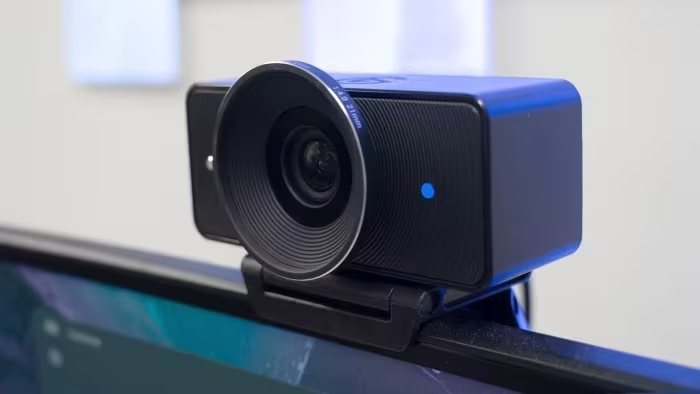
Elgato Facecam 4K Review
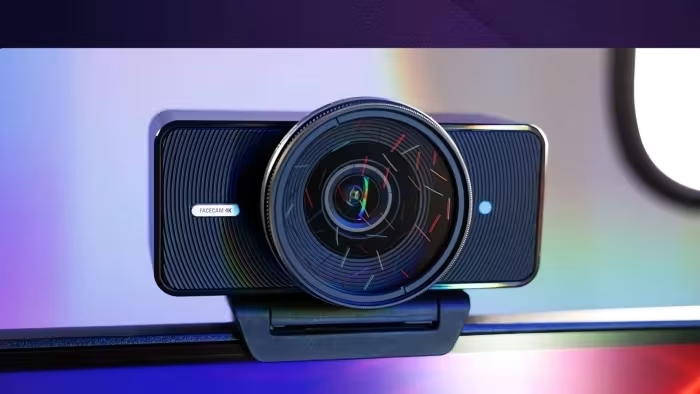
Elgato Facecam 4K
A creator-focused 4K/60fps studio webcam designed for streamers who prioritize manual control and image quality over convenience features.
How This Score Is Calculated
- Sources analysed: 5 reviews
- Raw weighted average: 7.8
- Formula: Σ(score × weight) ÷ Σ(weight)
- Review period: 2024-2025
- Value sources: 3 of 5 mentioned price
- Final score: 7.8/10
Algorithmically calculated from source data. No manual adjustments.
- Most reviewed featureImage Quality (5/5)
- Most praised4K 60fps performance
- Most criticisedLow-light performance
- Reviewer consensus levelHigh
The Elgato Facecam 4K is a specialized tool that brings studio-level performance to the webcam market, boasting the unique ability to capture true 4K video at 60fps. It excels for power users who leverage the robust Camera Hub software for manual adjustments and filter support, though it lacks consumer-friendly features like autofocus, a built-in microphone, or background bokeh. While it demands excellent lighting to shine, it remains the gold standard for streamers seeking high-end clarity without the complexity of a mirrorless camera.
🔧 Key Specifications
- Resolution: 4K at 60fps
- Focus: Fixed focus (no autofocus)
- Connectivity: USB-C
- Software: Camera Hub (with LUTs/face tracking)
- Mounting: 49mm physical lens filter thread
- Build: Plastic construction with monitor clip
- OS: Compatible with Windows/macOS
💲 Price Range
Approximately ₹16,700 – ₹19,000
Prices sourced from reviews. Check current retailer pricing.
📊 What Reviewers Say — Feature by Feature
5 features evaluated across 5 sources.
👍 Key Strengths
- True 4K 60fps video capture
- Professional-grade manual software controls
- Lens filter support
- Excellent clarity in good lighting
👎 Key Weaknesses
- Requires significant lighting for best results
- No autofocus capabilities
- Cheap all-plastic build quality
- No built-in microphone
💰 Value for Money Analysis
Reviewers generally view the webcam as a well-priced alternative to expensive dedicated mirrorless setups. It is considered more affordable than the Elgato Facecam Pro while retaining essential high-end functionality.
3 of 5 sources commented on price or value.
⚡ Where Reviewers Disagreed
The following areas saw meaningful disagreement across sources.
- Build Quality: Some reviewers praised the sleek, professional aesthetic, while others criticized the all-plastic feel and the reliability of the monitor mount.
🎯 Who This Product Is For
Reviewer recommendations for different target audiences and use cases.
🛠️ Best Use Cases
- Live StreamingExcellent for platforms like Twitch where 4K/60fps allows for high-quality face-cam integration.Great
- Content CreationThe lens thread support allows for physical filters, aiding in specific aesthetic looks for pre-recorded content.Good
🔀 Alternatives Mentioned by Reviewers
- Elgato Facecam Pro — A more premium, higher-end alternative for those who want the absolute peak of Elgato’s ecosystem; reviewers note the 4K 4K variant is often a better value for most.
- Razer Kiyo Pro Ultra — A direct competitor that offers superior optics and better low-light performance, though it is capped at 4K 30fps compared to the Elgato’s 4K 60fps.
Alternatives sourced exclusively from reviewer mentions.
🛒 Buyer's Guide
✅ Buy This If…
- You are a streamer who requires 60fps for high-motion gameplay.
- You want manual control over your image settings via software.
- You have a dedicated lighting setup to support the sensor.
❌ Skip This If…
- You need a plug-and-play camera that works perfectly in low-light environments.
- You rely on autofocus to track your movement.
- You are a casual user who does not want to tweak settings.
⚠️ Things to Check Before Buying
- Ensure you have a GPU capable of handling the software processing if using advanced effects.
- Check your desk space to ensure the mount fits securely on your monitor bezel.
📈 Sentiment Trends Over Time
Reviews span 2024–2025. The following changes were detected:
- Software Ecosystem — The Camera Hub software remains a consistent highlight, though users note it cannot run simultaneously with some other recording software like OBS in specific configurations.
The Elgato Facecam 4K is an outstanding specialized tool for streamers who demand high frame rates and granular manual control. While its lack of autofocus and high reliance on external lighting make it less ideal for casual users, its performance is unmatched at its price point for serious creators. If you have the lighting to support it, this is a top-tier choice for your stream.