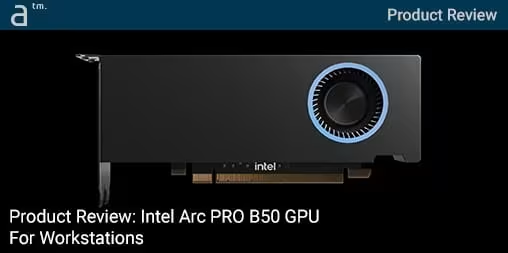
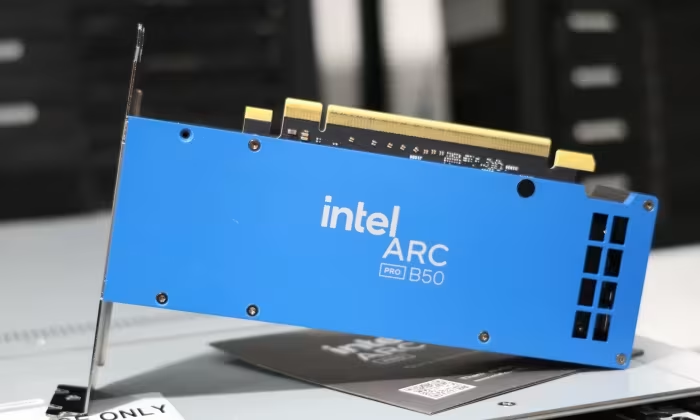
Intel Arc Pro B50 Review

Intel Arc Pro B50
A low-profile workstation GPU featuring 16GB VRAM, designed for small form factor systems and professional AI/rendering workloads.
How This Score Is Calculated
- Sources analysed: 5 reviews
- Explicit scores: 0 sources (sentiment-based weighting)
- Sentiment-only: 5 sources (weighted 1.0×)
- Split: 3 Positive · 1 Mixed · 1 Negative
- Raw weighted average: 7.2
- Formula: Σ(score × weight) ÷ Σ(weight)
- Review period: April 2026
- Value sources: 5 of 5 mentioned price or value
- Final score: 7.2/10 (clamped, rounded to 1 decimal)
Algorithmically calculated from source data. No manual adjustments.
- Most reviewed featureVRAM Capacity (5/5)
- Most praisedPerformance-per-dollar
- Most criticisedSoftware/Driver compatibility
- Reviewer consensus levelModerate
- Value for moneyGood Value (7.8/10)
The Intel Arc Pro B50 is a compact, low-profile workstation GPU that punches above its weight in memory capacity, offering 16GB of VRAM that makes it a compelling budget-friendly option for AI and rendering tasks. While it excels in performance-per-dollar, reviewers note lingering concerns regarding software compatibility and inconsistent performance in specific CAD display modes. It is best suited for professionals needing a space-efficient, power-sipping solution for modern workstation workflows.
🔧 Key Specifications
- RAM: 16 GB GDDR6
- Power Consumption: 70-watt
- Display Outputs: 4x mini DisplayPort
- Form Factor: Low profile / Dual-slot
- Connectivity: No external PCIe power connector required
💲 Price Range
$349 / approx. 29,500 – 33,800 INR
Prices sourced from reviews. Check current retailer pricing.
📊 What Reviewers Say — Feature by Feature
5 features evaluated across 5 sources.
👍 Key Strengths
- Excellent 16GB VRAM for AI workloads
- Strong performance-per-dollar value
- Efficient 70W power consumption
- Compact low-profile form factor
👎 Key Weaknesses
- Inconsistent software and driver compatibility
- Dual-slot design limits some system builds
- Tricky physical bracket changes
- Lags in specific CAD display modes
💰 Value for Money Analysis
Reviewers consistently describe the B50 as a strong value proposition, particularly for users who need high VRAM capacity without the premium cost of higher-tier workstation cards. At $349, it is positioned as a cost-effective alternative to NVIDIA's entry-level workstation lineup.
5 of 5 sources commented on price or value.
⚡ Where Reviewers Disagreed
The following areas saw meaningful disagreement across sources.
- Overall Competitive Standing: 3 sources praised its performance against rivals, while 2 sources noted it is outclassed by cheaper cards or lacks rendering parity with competitors. The disagreement hinges on whether the user prioritizes raw VRAM capacity for AI (where the B50 wins) or traditional CAD rendering stability (where rivals are preferred).
🎯 Who This Product Is For
Reviewer recommendations for different target audiences and use cases.
🛠️ Best Use Cases
- AI Model InferenceThe high 16GB memory buffer makes it a standout choice for local AI tasks.Great
- 3D VisualizationExcellent for memory-intensive visualization workflows, though rendering results vary.Good
- General WorkstationGreat upgrade over integrated graphics for multi-monitor setups.OK
🔀 Alternatives Mentioned by Reviewers
Maximise this list. Include EVERY single competitor, rival, or alternative product mentioned in any of the source reviews.
- NVIDIA RTX A1000 — Frequently used as a direct comparison; while the A1000 is more expensive and has only 8GB of VRAM, some reviewers feel it offers more stable rendering results. Choose the B50 if you need memory capacity; choose the A1000 for established software compatibility.
- NVIDIA RTX A2000 — A more expensive workstation card that serves as a performance benchmark. The B50 is noted to hold its own against the A2000 in specific rendering workflows while maintaining better cost efficiency.
- Intel Arc Pro A50 — The predecessor to the B50. Reviewers note the B50 provides a significant generational performance leap, making it the clear choice over the older model for new builds.
Alternatives sourced exclusively from reviewer mentions.
🛒 Buyer's Guide
✅ Buy This If…
- You need 16GB of VRAM for AI or memory-intensive tasks in a small chassis.
- You are building a low-power, small form factor professional workstation.
- You want the best performance-per-dollar in the entry-level workstation segment.
❌ Skip This If…
- You require guaranteed compatibility with niche CAD or specialized benchmark software.
- You are a pure rendering professional prioritizing software stability over raw memory capacity.
⚠️ Things to Check Before Buying
- Ensure your system has physical space for a dual-slot card, despite the low-profile label.
- Verify that your Linux environment is running very recent kernel and Mesa drivers.
- Confirm that your monitors support mini DisplayPort, as the card lacks full-size outputs.
📈 Sentiment Trends Over Time
Reviews span April 2026. The following changes were detected:
- Linux Driver Support — Early reports indicate improved open-source driver integration compared to previous Intel GPU generations.
The Intel Arc Pro B50 is a highly capable entry-level workstation GPU that offers unmatched value for memory-intensive AI tasks in a small package. Its primary strength lies in its 16GB VRAM and efficient power draw, though it is slightly held back by driver maturity and inconsistent performance in legacy CAD environments. For professionals on a budget who need to run modern AI models without moving to a full-tower build, this is a top-tier choice. If your workflow relies heavily on specific, legacy-certified software, you may want to stick to established NVIDIA alternatives.
Top Alternative: NVIDIA RTX A1000 — Choose this if you require maximum software certification and stability over high VRAM capacity.