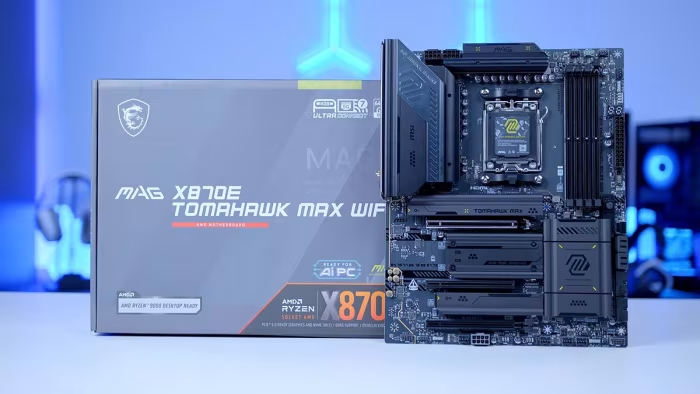
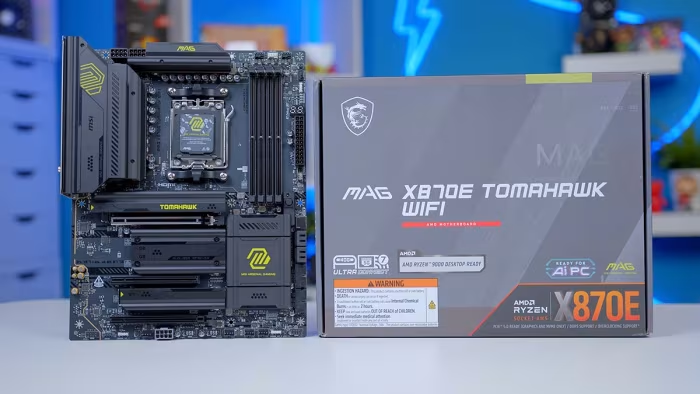
MSI MAG X870E Tomahawk WiFi Motherboard Review
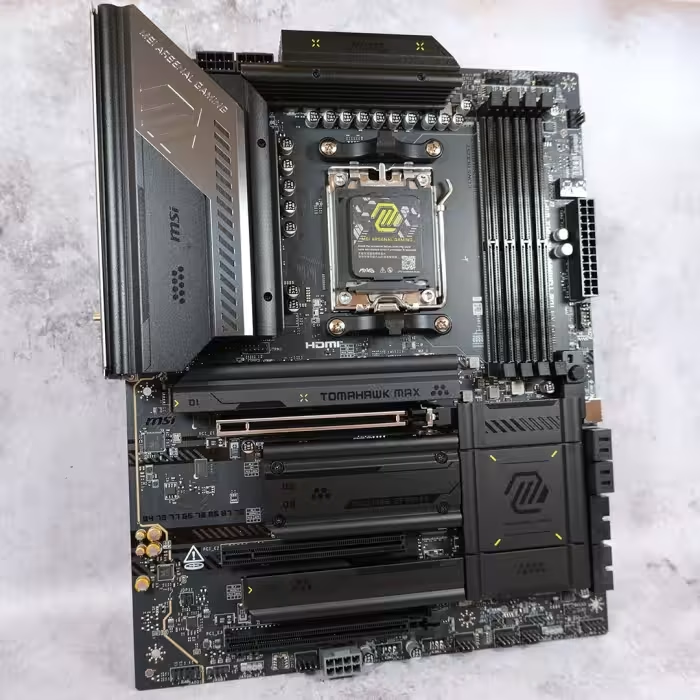
MSI MAG X870E Tomahawk WiFi
A feature-rich, high-end AM5 motherboard from MSI designed for enthusiasts seeking robust connectivity and reliable performance.
How This Score Is Calculated
- Sources analysed: 9 reviews
- Review period: 2025-2026
- Final score: 8.2/10 (rounded)
- Most reviewed featureRear IO / Connectivity (9/9)
- Most praisedUSB 4 & Networking
- Most criticisedLimited Audio & USB 2.0 headers
- Reviewer consensusHigh
- Value for moneyGood Value (7.5/10)
The MSI MAG X870E Tomahawk WiFi is widely regarded as a reliable, high-performance foundation for AM5 enthusiast builds. Reviewers consistently praise its comprehensive connectivity—highlighted by dual USB 4 ports and WiFi 7—and its thoughtful DIY-friendly features. While some note a lack of aesthetic flair and limited internal USB 2.0 headers, it remains a standout choice for those prioritizing function and stability over visual extravagance.
🔧 Key Specifications
- Chipset: AMD X870E
- Power Delivery: 14+2+1 / 14+1+1 phases
- Memory: DDR5 (up to 8400MT/s)
- Storage: 4x M.2 slots (Gen5 and Gen4)
- Networking: WiFi 7, 5-Gigabit LAN
- USB: Dual USB 4 Type-C (40 Gbps)
- PCB: 8-layer server-grade
💲 Price Range
$289.99 - $350.00
Prices fluctuate based on region and variant (Standard vs. PZ).
📊 What Reviewers Say — Feature by Feature
👍 Key Strengths
- Excellent USB 4 and WiFi 7 connectivity
- Robust 14+ phase power delivery
- Convenient tool-less M.2 installation
- Reliable 8-layer server-grade PCB
- Effective Click BIOS X interface
👎 Key Weaknesses
- Limited internal USB 2.0 headers
- Lacklustre 3.5mm audio connectivity
- Minimalist aesthetic may feel plain
- Not fully tool-less for all components
💰 Value for Money Analysis
Reviewers generally view the Tomahawk as a solid mid-to-high-range offering. While some suggest it faces stiff competition in the $350 range, its feature-to-price ratio remains highly competitive.
⚡ Where Reviewers Disagreed
- Aesthetics: 4 reviewers praised the sleek, professional look, while 3 criticised it as boring or lacking personality.
🎯 Who This Product Is For
🛠️ Best Use Cases
- High-Performance Gaming Robust power phases and RAM overclocking support make it suitable for high-end gaming rigs. Great
- Clean-Build Enthusiasts The PZ variant is specifically tailored for cable-free aesthetic builds using compatible cases. Great
🔀 Alternatives Mentioned by Reviewers
- MSI B850 Tomahawk — A budget-friendly alternative that shares similar specifications but lacks the premium X870E chipset features; recommended if you want to save money.
- MSI Carbon Series — Positioned above the Tomahawk, it offers a broader feature set for those needing workstation-level capabilities.
- MSI Gaming Plus Series — A lower-tier alternative from MSI for those who do not require the premium I/O of the X870E Tomahawk.
🛒 Buyer's Guide
✅ Buy This If…
- You need dual USB 4 ports and WiFi 7 for high-speed connectivity.
- You prefer a motherboard with robust tool-less M.2 installation features.
- You are building a high-end AM5 system and want proven, stable performance.
❌ Skip This If…
- You rely heavily on internal USB 2.0 headers for peripherals.
- You require professional-grade integrated audio output.
- You are on a tight budget and don't need the specific X870E chipset features.
⚠️ Things to Check Before Buying
- Ensure you choose the 'PZ' version only if you have a compatible Project Zero case.
- Verify your audio peripheral needs, as the 3.5mm jack selection is limited.
📈 Sentiment Trends Over Time
Reviews span the 2025-2026 cycle. The following shifts were observed:
- Aesthetic Perception — Remains a point of debate, with newer reviews still highlighting the minimalist design as a polarizing factor compared to more visually expressive boards.
The MSI MAG X870E Tomahawk WiFi is a highly capable, feature-rich motherboard that excels in connectivity and DIY ease-of-use. While it lacks the visual flair of some competitors, its consistent performance and robust I/O make it an excellent choice for most AM5 users. If you prioritize function over form, this is a top-tier recommendation for your next build.