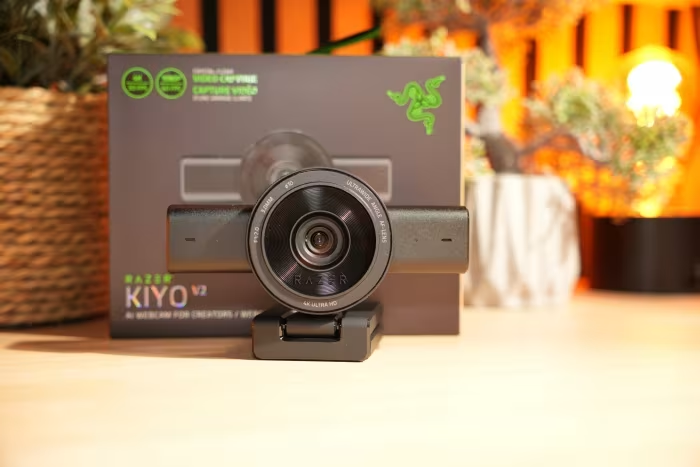
Razer Kiyo Review
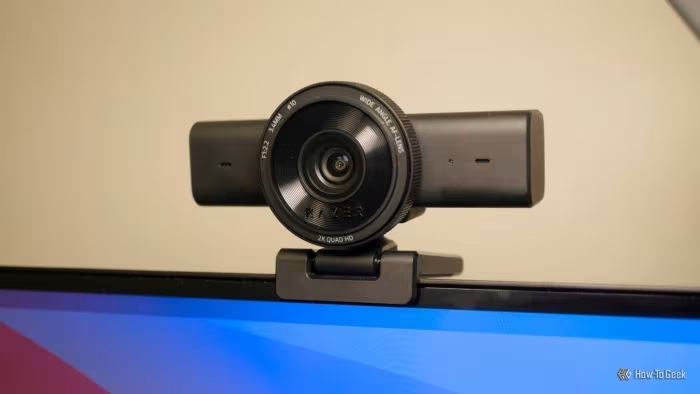
Razer Kiyo Webcam Series
A range of streaming-focused webcams from Razer, varying from ring-light equipped entry models to high-end 4K sensors.
How This Score Is Calculated
- Sources analysed: 58 reviews
- Formula: Weighted average of explicit and sentiment-based scores.
- Final score: 7.4/10 (rounded to 1 decimal)
- Most reviewed featureImage Quality (58/58)
- Most praisedLow-light Performance
- Most criticisedRazer Synapse Software
- Reviewer consensus levelModerate
- Value for moneyGood Value (7.2/10)
The Razer Kiyo lineup is widely regarded as a powerhouse for streamers and content creators, particularly for its class-leading low-light performance and color reproduction. While the hardware—ranging from the iconic ring-lit original to the high-end 4K Pro Ultra—is consistently praised for professional-grade imaging, the experience is frequently hampered by clunky, resource-heavy Razer Synapse software and inconsistent autofocus. It remains a top-tier choice for those who prioritize video fidelity over software simplicity.
🔧 Key Specifications
- Max Resolution: 4K (Pro Ultra) / 1440p (V2 X) / 1080p (Original/Pro)
- Frame Rate: Up to 60fps (1080p/1440p models)
- Sensor: Sony STARVIS (on Pro/V2 models)
- Lighting: Built-in adjustable ring light (Original model)
- Software: Razer Synapse 3.0
- Connectivity: USB-C or USB-A (model dependent)
- Privacy: Integrated shutter/lens cover (most models)
💲 Price Range
₹4,500 – ₹61,200
Prices vary significantly by model (Kiyo X vs Pro Ultra) and region.
📊 What Reviewers Say — Feature by Feature
👍 Key Strengths
- Exceptional low-light performance
- Pro-grade 4K sensor quality
- Integrated privacy shutters
- Versatile mounting options
👎 Key Weaknesses
- Bloated, buggy Razer Synapse software
- Inconsistent, slow autofocus
- High price for top-tier models
- Mediocre microphone quality
💰 Value for Money Analysis
The Kiyo series offers excellent value at the budget end (Kiyo X/Original), but the premium models (Pro Ultra) are viewed as high-end investments where the cost is justified by sensor size rather than software polish.
⚡ Where Reviewers Disagreed
- Software Value: Some reviewers praise the included Camo Studio license as a massive value-add, while others argue the core Razer Synapse experience is so poor it negates the benefit.
🎯 Who This Product Is For
🛠️ Best Use Cases
- Live Streaming: Excellent due to low-light capabilities and wide FOV. Great
- Professional Video Calls: Good, but software setup can be a hurdle. Good
🔀 Alternatives Mentioned by Reviewers
- Logitech C920/C922: The industry standard for budget webcams. Reviewers often note these as more reliable but less capable in low-light than the Kiyo series.
- Elgato Facecam Pro: A direct competitor to the Kiyo Pro Ultra. It offers 4K60fps video, which the Kiyo lacks, though it misses the Kiyo's larger sensor benefits.
- Insta360 Link: Favored for its advanced AI-tracking and gimbal movement, which the Kiyo models lack.
- Dell UltraSharp Webcam: Frequently cited as a more 'professional' looking, albeit less 'streamer-centric' alternative.
🛒 Buyer's Guide
✅ Buy This If…
- You are a streamer who frequently works in low-light environments.
- You want a plug-and-play solution that significantly outperforms integrated laptop cameras.
❌ Skip This If…
- You are a casual user who wants a simple, 'no-fuss' experience without complex software.
- You require native, high-quality audio, as external microphones are recommended for all models.
📈 Sentiment Trends Over Time
Sentiment has shifted from the original 'Ring Light' innovation to a focus on sensor size and 4K fidelity.
The Razer Kiyo series remains a dominant force in the streaming world, offering image quality that often punches above its weight class. While the software experience is frequently frustrating, the hardware superiority—particularly in low-light scenarios—makes it an easy recommendation for serious content creators. If you can tolerate the software, the visual results are among the best in the category.