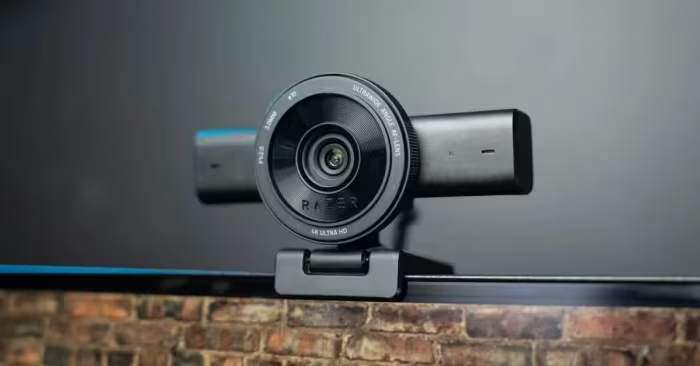
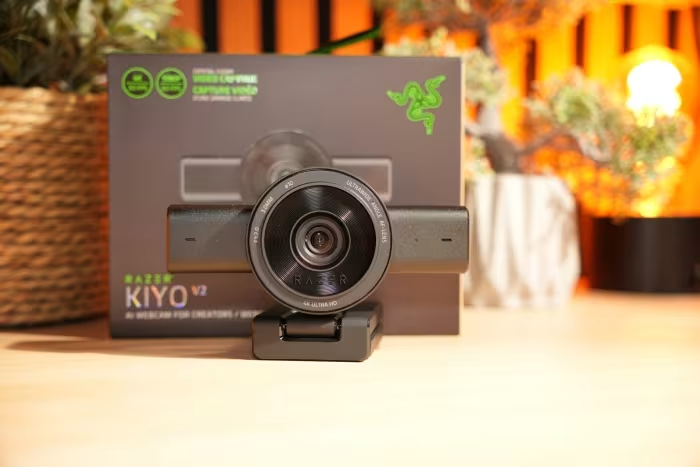
Razer Kiyo V2 Webcam Review

Razer Kiyo V2 Webcam
A premium 4K webcam designed for streamers and professionals, featuring deep software integration and versatile mounting options.
How This Score Is Calculated
- Sources analysed: 13 reviews
- Explicit scores: 4 sources (weighted 1.5×)
- Sentiment-only: 9 sources (weighted 1.0×)
- Split: 8 Positive · 3 Mixed · 2 Negative
- Raw weighted average: 7.4
- Formula: Σ(score × weight) ÷ Σ(weight)
- Review period: 2026
- Value sources: 6 of 13 mentioned price or value
- Final score: 7.4/10 (rounded)
- Most reviewed featureAutofocus (8/13)
- Most praised4K Image Quality
- Most criticisedAutofocus Consistency
- Reviewer consensus levelModerate
- Value for moneyGood Value (7.5/10)
The Razer Kiyo V2 is a capable 4K streaming webcam that balances high-fidelity video output with a generous software bundle, including a lifetime Camo Studio Pro license. While it excels in color accuracy and physical build quality, it is frequently held back by inconsistent autofocus performance and software fragmentation between Razer Synapse and Camo Studio. It remains a strong, cost-effective choice for creators who prioritize image clarity over perfect automation.
🔧 Key Specifications
- Resolution: 4K
- Frame Rate: 30 FPS at 4K
- Sensor: Sony STARVIS
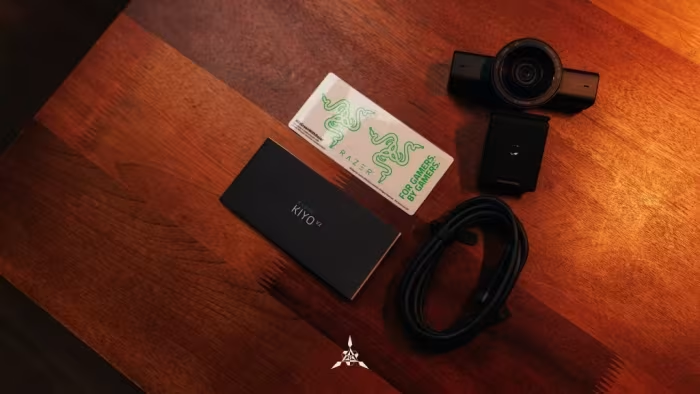
- Connectivity: USB-C (USB-C to USB-C cable included)
- Microphone: Quad-microphone array with noise-canceling
- Software: Razer Synapse, Camo Studio Pro
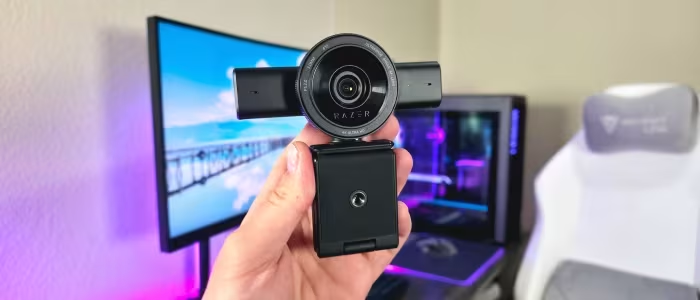
- Mounting: Tripod thread support
- Privacy: Physical shutter
💲 Price Range
₹14,500 – ₹16,700
Prices sourced from reviews. Check current retailer pricing.
📊 What Reviewers Say — Feature by Feature
8 features evaluated across 13 sources.
👍 Key Strengths
- Excellent 4K image quality
- Lifetime Camo Studio Pro license
- Robust physical build quality
- Effective physical privacy shutter
- Competitive price-to-performance ratio
👎 Key Weaknesses
- Inconsistent and choppy autofocus
- Disjointed dual-software requirements
- Mediocre low-light performance
- Limited to 30 FPS at 4K
- Mount can transfer vibrations
💰 Value for Money Analysis
Reviewers frequently highlight the Kiyo V2 as a strong price-to-performance contender. The inclusion of a lifetime Camo Studio Pro license is widely cited as a significant value-add that justifies the purchase price compared to more expensive alternatives.
6 of 13 sources commented on price or value.
⚡ Where Reviewers Disagreed
The following areas saw meaningful disagreement across sources.
- Low-Light Performance: 4 sources praised it as 'best-in-class' or 'excellent', while 4 others explicitly cited it as 'mediocre', 'grainy', or 'poor'. The discrepancy likely stems from varying lighting setups used during testing.
🎯 Who This Product Is For
Reviewer recommendations for different target audiences and use cases.
🛠️ Best Use Cases
- Live StreamingGreat for streamers needing 4K clarity and AI framing, though users may need to manually adjust focus.Great
- Professional Video CallsExcellent for remote workers wanting a professional aesthetic, provided they have decent ambient lighting.Good
🔀 Alternatives Mentioned by Reviewers
Maximise this list. Include EVERY single competitor, rival, or alternative product mentioned in any of the source reviews.
- Logitech C920 — Frequently cited as the benchmark for entry-level webcams; reviewers note the Kiyo V2 offers superior intelligent features and color consistency.
- Elgato Facecam — Compared directly against the Kiyo V2; reviewers suggest the Kiyo provides more automated performance than the Elgato.
- Sony ZV-E10 — Mentioned as a higher-end alternative for those who need more than a standard webcam; the Kiyo V2 is noted for being more automated and easier to set up.
- Kiyo V2 1440p Variant — An affordable alternative for those who do not require full 4K resolution.
- Razer Kiyo V2 X — A lower-tier 1440p option noted for having 'too many compromises,' including poor microphone performance and lack of a built-in light.
Alternatives sourced exclusively from reviewer mentions.
🛒 Buyer's Guide
✅ Buy This If…
- You are a streamer or professional needing 4K resolution at a competitive price.
- You want the included lifetime license for Camo Studio Pro software.
- You prioritize physical build quality and a privacy shutter.
❌ Skip This If…
- You need flawless, set-it-and-forget-it autofocus.
- You are a casual user who finds managing two software suites frustrating.
- You primarily work in very low-light environments without external lighting.
⚠️ Things to Check Before Buying
- Ensure your PC setup has USB-C connectivity, as the included cable is USB-C to USB-C.
- Be prepared to use two software solutions (Synapse and Camo Studio) to unlock full feature sets.
- Check if your mounting area is prone to vibrations, as the mount may transfer them to the camera.
📈 Sentiment Trends Over Time
Reviews span 2026. The following changes were detected:
- Software Integration — Throughout the 2026 review period, reviewers consistently expressed frustration with the dual-software requirement, suggesting this remains an unresolved pain point.
The Razer Kiyo V2 is an impressive 4K webcam that hits the sweet spot for content creators who want professional-grade video without a four-figure price tag. While its autofocus can occasionally hunt and the dual-software requirement is clunky, the image quality and included Camo Studio Pro license provide immense value. It is a top-tier choice for streamers, provided you have adequate lighting and are comfortable with a bit of initial software configuration.