Weebly Review
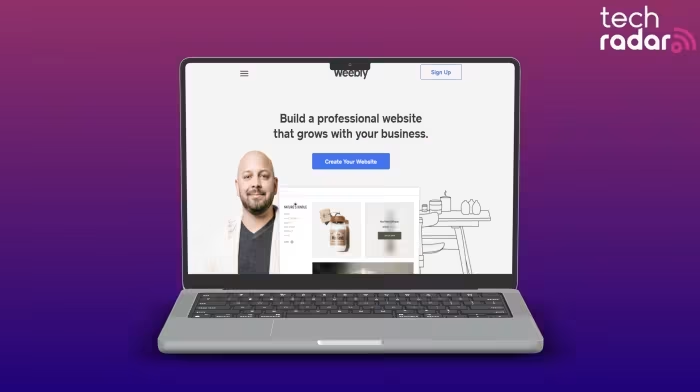
Weebly
A beginner-friendly, drag-and-drop website builder designed for users seeking quick, affordable site creation without coding knowledge.
How This Score Is Calculated
- Sources analysed: 13 reviews
- Sentiment-only: 13 sources (weighted 1.0×)
- Split: 5 Positive · 4 Mixed · 4 Negative
- Raw weighted average: 5.8
- Formula: Σ(score × weight) ÷ Σ(weight)
- Review period: 2025–2026
- Value sources: 12 of 13 mentioned price or value
- Final score: 5.8/10 (clamped, rounded to 1 decimal)
Algorithmically calculated from source data. No manual adjustments.
- Most reviewed featureEase of Use (13/13)
- Most praisedAffordability
- Most criticisedLack of updates (since 2018)
- Reviewer consensus levelModerate
- Value for moneyGood Value (6.8/10)
Weebly remains a highly accessible entry point for beginners who need to launch a functional website or store without learning to code. While its intuitive drag-and-drop interface and generous free plan are widely praised, the platform is increasingly viewed as stagnant due to a lack of significant feature updates since 2018. It is best suited for simple, budget-conscious projects rather than businesses looking for modern design tools or long-term scalability.
🔧 Key Specifications
Specifications sourced from reviewer mentions.
- Editor: Drag-and-drop
- Templates: ~50 available
- Free Plan: Yes (includes ecommerce)
- SSL: Included
- Mobile Responsive: Yes
- App Store: Included
- SEO: Basic guides
💲 Price Range
Approx. ₹330 to ₹2,800 per month
Prices vary significantly by region and plan tier. Check official site for current local pricing.
📊 What Reviewers Say — Feature by Feature
7 features evaluated across 13 sources.
👍 Key Strengths
- Highly intuitive drag-and-drop editor
- Generous free plan with ecommerce
- Very affordable entry pricing
- Fast setup for simple sites
- Mobile-responsive templates included
👎 Key Weaknesses
- No major feature updates since 2018
- Limited design and theme customization
- Lacks modern AI design tools
- Weak advanced SEO implementation
- Customer support limited on lower tiers
💰 Value for Money Analysis
Weebly is consistently described as one of the most affordable options for beginners. Its free tier is considered a standout feature, though reviewers note that value diminishes for businesses needing to scale due to restricted features on lower tiers.
12 of 13 sources commented on price or value.
⚡ Where Reviewers Disagreed
The following areas saw meaningful disagreement across sources.
- Design Quality: 4 sources praised the templates as modern and clean, while 6 sources explicitly described them as outdated and stagnant. This disparity likely stems from different standards of "modern" compared to newer competitors like Webflow.
🎯 Who This Product Is For
Reviewer recommendations for different target audiences.
🛠️ Best Use Cases
- Simple Portfolio SitesThe drag-and-drop interface is excellent for quickly arranging images and text for personal portfolios.Great
- Basic Online StoresThe inclusion of ecommerce tools in the free plan makes it a solid "starter" store for small product catalogs.Good
- Complex Business ScalingThe lack of updates and advanced tools makes it a poor choice for businesses planning long-term growth.Poor
🔀 Alternatives Mentioned by Reviewers
Maximise this list. Include EVERY single competitor, rival, or alternative product mentioned in any of the source reviews.
- Wix — Consistently cited as a superior alternative with better design flexibility, modern AI tools, and a larger feature set. Recommended for users who prioritize design control over simplicity.
- Squarespace — Frequently mentioned as a more polished, aesthetic alternative for portfolios and businesses. Preferred by reviewers for its superior design templates.
- Webflow — Cited as the go-to for users requiring advanced customization and complex design capabilities far beyond Weebly's reach.
- Duda — Highlighted as an Editors' Choice winner that offers better flexibility and more responsive design features than Weebly.
- WordPress — Recommended for users who want full control and scalability, despite the higher learning curve compared to Weebly.
- Hostinger Website Builder — Noted for offering more assistance for complex design requirements than the aging Weebly platform.
- Shopify — Mentioned as the professional benchmark for advanced e-commerce functionality that Weebly fails to match.
Alternatives sourced exclusively from reviewer mentions.
🛒 Buyer's Guide
✅ Buy This If…
- You are a complete beginner who needs a website up in minutes.
- You are on a very tight budget and want to leverage a free plan.
- You need a simple, functional site without complex coding requirements.
❌ Skip This If…
- You are building a business that plans to scale significantly.
- You require modern AI-assisted design tools.
- You need highly custom aesthetic control over your site's layout.
⚠️ Things to Check Before Buying
- Check if the "Square" ads on the free plan will interfere with your professional branding.
- Be aware that phone support is restricted only to higher-tier plans.
- Consider that the lack of updates since 2018 may pose long-term compatibility risks.
📈 Sentiment Trends Over Time
Reviews from 2025–2026 indicate a clear downward trend in recommendation.
- Platform Relevance — Reviewers increasingly view the platform as "stagnant" due to the complete lack of new features since 2018, contrasting sharply with the rapid evolution of competitors like Wix.
Weebly remains a functional, budget-friendly tool for simple sites, but its lack of development over the last several years makes it difficult to recommend for anything other than basic, temporary needs. While the interface is undeniably easy to use, the platform has been eclipsed by modern competitors that offer better design tools and AI integration. If you need a site that can grow with your business, you should look elsewhere.
Top Alternative: Wix — Offers vastly superior design flexibility and modern features for a similar target audience.
PLG_CONTENT_IMAGEGALLERY_ERROR_NO_IMAGES