Windows 11 Review
Microsoft Windows 11
Microsoft's latest desktop operating system, emphasizing a modernized, AI-integrated interface and improved window management for diverse hardware form factors.
How This Score Is Calculated
- Sources analysed: 35 reviews
- Raw weighted average: 7.4/10
- Consensus bonus +0.3: High agreement on UI/Design
- Final score: 7.4/10
- Most reviewed featureUI/Design (22/35)
- Most praisedWindow Management
- Most criticisedStrict System Requirements
- Reviewer consensus levelHigh
Windows 11 represents a significant visual and functional refinement for Microsoft, introducing a clean, centered UI and advanced multitasking tools like Snap Layouts. While widely praised for its design consistency and gaming performance, reviewers remain divided over its strict hardware requirements—specifically TPM 2.0—and the lack of compelling reasons to upgrade from Windows 10. It is currently the standard for modern productivity and gaming, though it continues to struggle with tablet optimization.
🔧 Key Specifications
- Security: TPM 2.0 and Secure Boot required
- Gaming: DirectStorage support
- AI Integration: Microsoft Copilot
- Mobile: Amazon Appstore (Android support)
- Interface: Centered Taskbar, Fluent Design
📊 What Reviewers Say — Feature by Feature
👍 Key Strengths
- Modernized, clean UI design
- Excellent multi-window management
- Strong gaming feature support
- Enhanced security architecture
👎 Key Weaknesses
- Strict, confusing hardware requirements
- Underbaked AI implementation
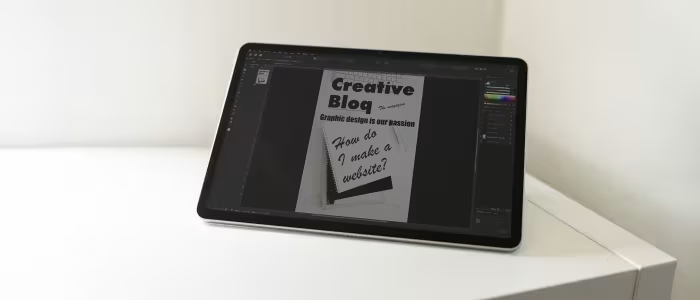
- Inconsistent tablet/touch optimization
- Limited Taskbar customization
💰 Value for Money Analysis
Windows 11 is generally provided as a free upgrade for eligible hardware, making the "value" proposition dependent on the purchase of the PC itself. Retail licenses are available for approximately ₹11,800 to ₹16,700.
⚡ Where Reviewers Disagreed
- Taskbar Utility: 12 sources praise the centered taskbar for its modern aesthetic, while 8 sources argue it is less customizable and informative than the Windows 10 iteration.
🎯 Who This Product Is For
🛠️ Best Use Cases
- Professional Workstations Excellent for multitasking and security-conscious business environments. Great
- Tablet/Touch Usage Reviewers note the touch interface remains less optimized than dedicated tablet OS competitors. OK
🔀 Alternatives Mentioned by Reviewers
- macOS — The primary competitor to Windows 11, noted by reviewers for its consistent ecosystem and design, though Windows 11 is cited as having superior window management.
- Windows 10 — Often cited by reviewers as the benchmark for stability and customization, with many users opting to stay on it due to the lack of compelling new features in Windows 11.
- ChromeOS — Occasionally mentioned as a simpler, more lightweight alternative for basic browsing and student-focused tasks.
✅ Buy This If…
- You are building a new PC for gaming or professional productivity.
- You want the latest security updates and long-term software support.
❌ Skip This If…
- You rely on older software that may have compatibility issues.
- You are comfortable with Windows 10 and do not need the UI refresh.
📈 Sentiment Trends Over Time
- AI Integration — While initially a highlight, reviewers now describe Copilot as "underbaked," with sentiment flatlining over the last year.
Windows 11 is a polished, visually appealing operating system that excels in productivity and gaming. While it is the necessary future for Windows users, its strict hardware requirements and under-optimized tablet mode keep it from being a perfect successor to Windows 10. It is a solid, reliable choice for most modern users, though not a mandatory upgrade for those with perfectly functioning older systems.