Dell XPS 13 Review
Dell XPS 13
A premium ultraportable laptop series balancing minimalist design and high-end displays against controversial ergonomics and limited connectivity.
How This Score Is Calculated
- Sources analysed: 11 reviews
- Sentiment-only: 11 sources (weighted 1.0×)
- Split: 7 Positive · 3 Mixed · 1 Negative
- Raw weighted average: 6.9
- Final score: 6.9/10 (clamped, rounded to 1 decimal)
- Most reviewed featurePort selection (11/11)
- Most praisedBuild/Design
- Most criticisedPort selection
- Reviewer consensus levelModerate
- Value for moneyFair Value (6.1/10)
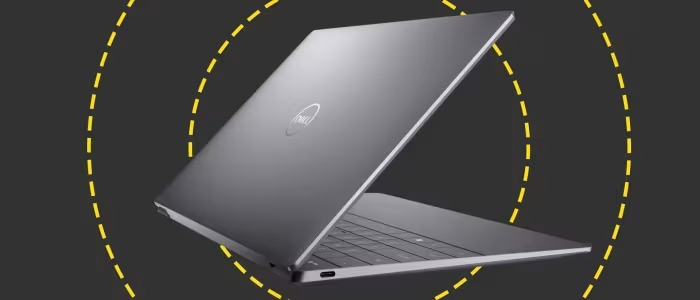
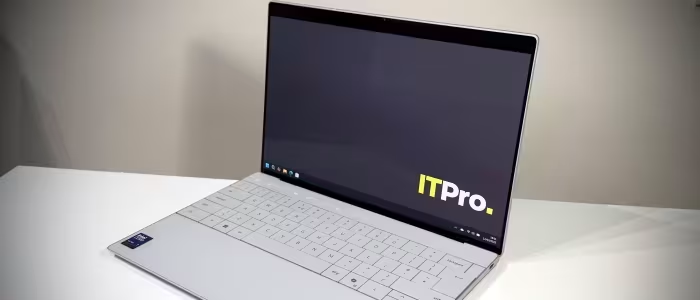
The Dell XPS 13 is a masterclass in industrial design, offering a stunning, industry-leading OLED display and a premium, compact aluminium chassis that remains a gold standard for portability. However, reviewers consistently highlight that Dell prioritizes aesthetics over utility, leading to frustrating trade-offs like minimal port connectivity, a divisive flat keyboard, and non-upgradable components. It is an ideal machine for style-conscious professionals who prioritize aesthetics and mobility, provided they are comfortable living the 'dongle life'.
🔧 Key Specifications
- Display: 13.4-inch Tandem OLED (varies by model)
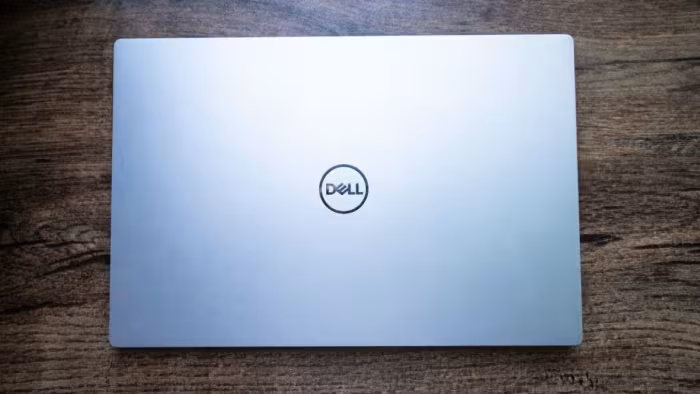
- Build: CNC-machined aluminium and carbon fiber
- Ports: 2x Thunderbolt 4 / USB4 (No 3.5mm jack)
- Webcam: 720p (varies by generation)
- Connectivity: Wi-Fi 6E/7, Bluetooth
💲 Price Range
₹67,000 – ₹2,34,000
Varies significantly by generation and configuration.
📊 What Reviewers Say — Feature by Feature
11 features evaluated across 11 sources.
👍 Key Strengths
- Exceptional premium aluminium build
- Gorgeous tandem OLED display
- Highly portable and compact design
- Strong everyday productivity performance
👎 Key Weaknesses
- Frustratingly limited port selection
- Uncomfortable, shallow keyboard design
- No 3.5mm headphone jack
- Average or mediocre webcam
💰 Value for Money Analysis
Reviewers frequently note that while the XPS 13 is a premium device, it often struggles to justify its high price tag when compared to rivals like the MacBook Air or Asus Zenbook, which offer better connectivity and ergonomics for less.
7 of 11 sources commented on price or value.
⚡ Where Reviewers Disagreed
The following areas saw meaningful disagreement across sources.
- Keyboard Comfort: 3 sources praised the keyboard feedback, while 4 sources found it stiff, shallow, or uncomfortable to use. Disagreement stems from the polarizing 'lattice' or 'invisible' design, which some find modern and others find ergonomically inferior.
🎯 Who This Product Is For
Reviewer recommendations for different target audiences.
🛠️ Best Use Cases
- Content Consumption The high-quality OLED screen and excellent audio make this a premier device for watching media. Great
- General Office Productivity Perfect for web browsing, word processing, and email, provided you don't need excessive ports. Good
🔀 Alternatives Mentioned by Reviewers
- Apple MacBook Air — The primary competitor. Reviewers note it offers superior battery life, better port variety (including MagSafe), and often better multi-core performance for a similar or lower price.
- Asus Zenbook S14 OLED — Frequently cited as a more practical and affordable alternative that provides similar premium build quality and display performance without the restrictive port design of the Dell.
- Lenovo ThinkPad X1 Carbon — Recommended for users who value professional-grade keyboard comfort and extensive port connectivity over the aesthetic minimalism of the XPS series.
- HP Omnibook Ultra — Mentioned as a direct performance competitor for the Windows ultrabook market that competes well in productivity benchmarks.
- Dynabook Portégé X30W-J — Noted specifically for users seeking a 2-in-1 convertible form factor, which the standard XPS 13 does not offer.
🛒 Buyer's Guide
✅ Buy This If…
- You prioritize aesthetics and build quality above all else.
- You want one of the best portable screens on the market.
- You are comfortable using USB-C dongles for all peripherals.
❌ Skip This If…
- You need a dedicated headphone jack or multiple USB-A ports.
- You do heavy video editing or gaming that requires sustained thermal performance.
- You prefer a traditional, tactile keyboard over a flat, minimalist layout.
📈 Sentiment Trends Over Time
Reviews span 2015 to 2026. The following changes were detected:
- Design Language — Remained consistently premium and minimalist, though criticism of port removal has intensified over time.
- Display Tech — Shifted from high-quality standard panels to industry-leading Tandem OLED tech.
The Dell XPS 13 remains a beautiful, high-performance ultraportable that wins on design and display, but it is fundamentally limited by a stubborn refusal to accommodate basic user needs like port variety and comfortable typing. It is an excellent machine for the 'minimalist' professional, but most users will find better value and usability in competitors like the MacBook Air or Asus Zenbook. If you value form over function, this is your laptop; if you value utility, look elsewhere.