Geekom Geekbook X14 Pro Review
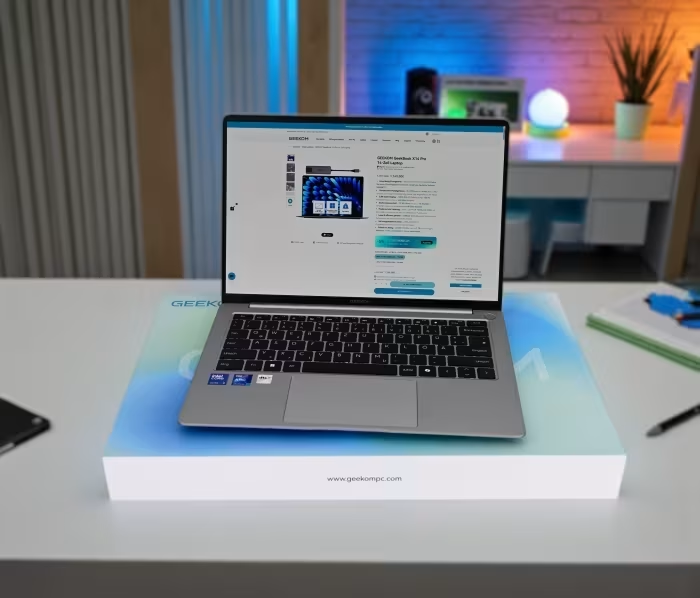
Geekom GeekBook X14 Pro
A lightweight, premium-feeling ultrabook featuring a high-resolution OLED display, marking Geekom's initial entry into the laptop market.
How This Score Is Calculated
- Sources analysed: 5 reviews
- Sentiment-only: 5 sources (weighted 1.0×)
- Split: 2 Positive · 2 Mixed · 1 Negative
- Raw weighted average: 6.2
- Formula: Σ(score × weight) ÷ Σ(weight)
- Final score: 6.2/10 (clamped, rounded to 1 decimal)
- Most reviewed featureDisplay (5/5)
- Most praisedOLED Display
- Most criticisedTrackpad / Battery
- Reviewer consensus levelModerate
The Geekom GeekBook X14 Pro impresses with its ultra-lightweight magnesium alloy design and a stunning 2.8K OLED display that captures accurate colors. However, the device is hampered by inconsistent performance, a frustrating trackpad experience, and disappointing battery life. While it offers strong storage and memory specs for the price, it struggles to keep pace with more refined, modern alternatives from established manufacturers.
🔧 Key Specifications
- Display: 14-inch, 2.8K OLED, 120Hz
- Processor: Intel Core Ultra 9 (Meteor Lake)
- RAM: 32GB (Soldered, 7,467 MT/s)
- Storage: 2TB SSD
- Battery: Short endurance noted
- Charging: 65W (exceeds performance)
- Connectivity: Wi-Fi 6E
- Weight: ~2.2 lbs (1 kg)
- Build Materials: Magnesium alloy
- Security: Fingerprint scanner, manual camera switch
💲 Price Range
Approximately ₹84,000 – ₹105,500
📊 What Reviewers Say — Feature by Feature
5 features evaluated across 5 sources.
👍 Key Strengths
- Stunning 2.8K 120Hz OLED display
- Extremely lightweight magnesium alloy build
- Generous 32GB RAM and 2TB SSD
- Fast Wi-Fi 6E connectivity
- Tactile, well-lit keyboard
👎 Key Weaknesses
- Frustrating and unreliable trackpad
- Underwhelming battery life
- Non-upgradeable soldered RAM
- Thermal throttling under heavy loads
- Lack of SD/microSD card slot
💰 Value for Money Analysis
Reviewers acknowledge the high-end internal specs (32GB RAM/2TB SSD) provide good value for the price point. However, the overall package is compromised by build/usability flaws that make it less competitive than established premium brands.
⚡ Where Reviewers Disagreed
- Speaker Quality: 2 sources praised the speakers as capable, while 2 sources criticized them as tinny and distorted.
🎯 Who This Product Is For
🛠️ Best Use Cases
- Media Consumption The excellent 2.8K OLED display makes this an ideal device for watching videos and photo viewing. Great
- Content Creation (Light) Decent performance for tasks, but thermal throttling limits high-intensity rendering. OK
- On-the-go Productivity Poor trackpad and battery life significantly hinder mobile office work. Poor
🔀 Alternatives Mentioned by Reviewers
- Asus Zenbook A14 — A premium ultraportable leader that offers significantly better battery life and more modern processing power than the Geekom. Choose this if you prioritize reliability and efficiency.
- HP OmniBook 5 14 — Another top-tier alternative that outperforms the GeekBook in battery endurance and overall system refinement. Recommended for those who want a more polished experience from a major manufacturer.
🛒 Buyer's Guide
✅ Buy This If…
- You prioritize a high-quality, vibrant OLED screen above all else.
- You need a very lightweight laptop for short-distance travel.
- You want 32GB RAM and 2TB storage at a lower price point than major brands.
❌ Skip This If…
- You rely on your trackpad for productivity (use an external mouse).
- You need all-day battery life for work away from an outlet.
- You want a future-proof device with upgradeable components.
⚠️ Things to Check Before Buying
- Be aware that the RAM is soldered and cannot be upgraded later.
- Consider the lack of an SD card slot if you are a photographer.
- Verify if you need Copilot+ AI features, as this model lacks support.
The Geekom GeekBook X14 Pro is a valiant first attempt that succeeds in design and display quality but fails in critical usability areas. While the hardware specifications are impressive, the poor trackpad and weak battery life make it difficult to recommend over more refined competitors. It is a good choice for those who value screen quality above all else, but most users will find better value in established alternatives from Asus or HP.
PLG_CONTENT_IMAGEGALLERY_ERROR_NO_IMAGES